01
准备素材
先准备原始音频、清晰的角色形象参考,以及定义预期口型同步的歌词或台词。
尝试这套黑屏视频工作流,让 Seedance 2.0 在口型同步、MV 制作和角色视频中更精准地遵循参考音频。
问题
音频参考可能在节奏和间隔上出现偏移。
解决方法
将音频片段用作黑屏视频输入。
Seedance 2.0 原生支持音频参考,但直接用音频作为参考,可能导致生成音频与原始音频出现明显差异,音乐场景尤为明显。

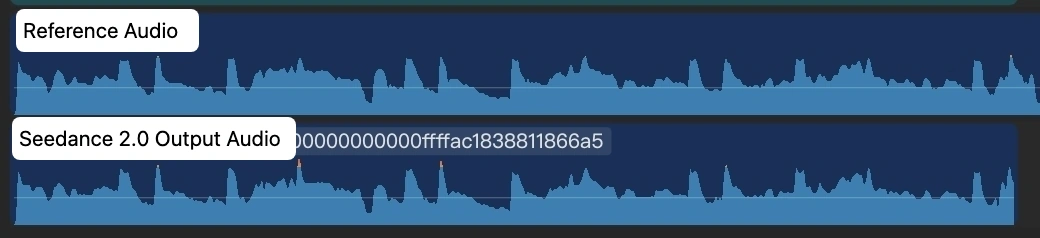
关键解决方案很简单:把每段音频转换成黑屏视频,然后将该黑屏视频作为 Seedance 2.0 的输入。
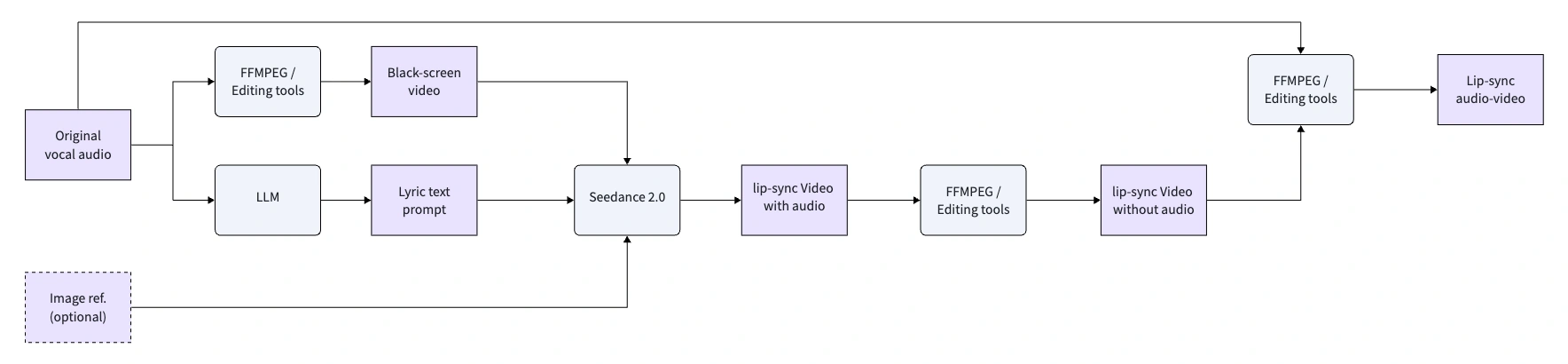
先准备原始音频、清晰的角色形象参考,以及定义预期口型同步的歌词或台词。
由于 Seedance 2.0 支持的视频时长不超过 15 秒,请将较长的音乐或对白拆分成多个短片段。
创建带原始音轨的黑屏 MP4。这会把音频转换为 Seedance 能更精准跟随的视频输入。
将黑屏视频作为输入参考,并保持输出时长与输入视频时长严格一致。
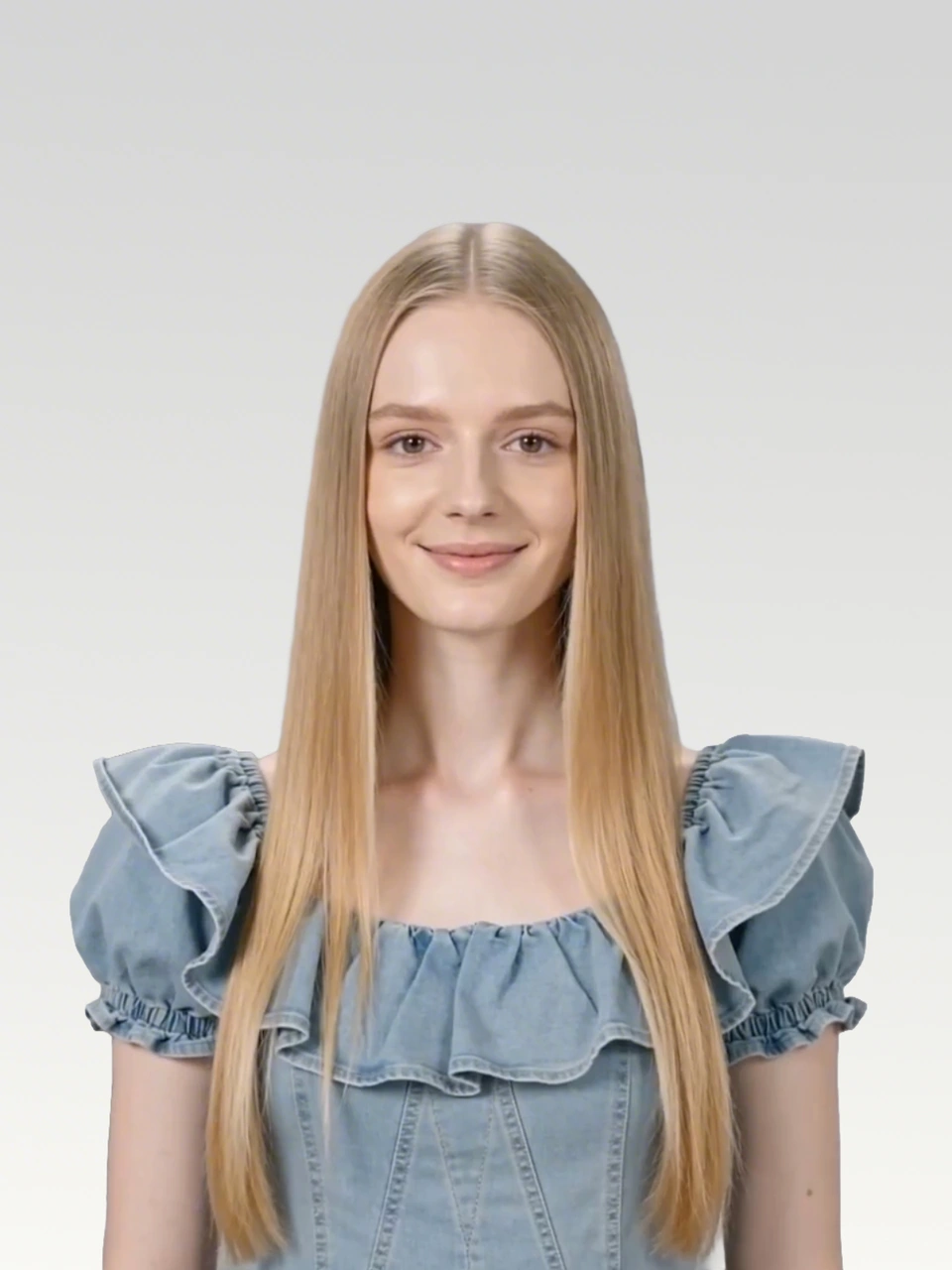
原始音频
Waking up to golden light. Coffee warm and feeling right.
Birds are singing just for me. Living life so wild and free.
This is my beautiful life. Every moment shining bright.
Dancing through the ups and downs. Wearing joy like a crown.
Beautiful life, oh yeah. Beautiful life
你可以用 FFmpeg 创建,也可以使用 CapCut 等视频编辑器,将音频片段放在黑色画布上并导出为 MP4。
ffmpeg -f lavfi -i color=c=black:s=1280x720:r=24 -i clip1_audio.mp3 -shortest -c:v libx264 -c:a aac clip1.mp4每个片段都以黑屏视频作为参考输入,然后让 Seedance 2.0 驱动图片中的主角,实现严格的唇形同步。
黑屏参考视频与 Seedance 2.0 输出
提示词
Use the audio from @Video 1 to drive the protagonist in @Image 1 to generate an MV with multiple shots, creating an overall light, lively, and sunny atmosphere. Lip-sync is strictly synchronized: "woo~ woo~"
黑屏视频
输出视频
黑屏参考视频与 Seedance 2.0 输出
提示词
Use the audio from @Video 1 to drive the protagonist in @Image 1 to generate an MV with multiple shots, change the outfit and background, and create an overall light, lively, and sunny atmosphere. Lip-sync strictly: "Waking up to golden light. Coffee warm and feeling right."
黑屏视频
输出视频
黑屏参考视频与 Seedance 2.0 输出
提示词
Use the audio from @Video 1 to drive the protagonist in @Image 1 to generate an MV with multiple shots, change the outfit and background, and create an overall light, lively, and sunny atmosphere. Lip-sync strictly: "Birds are singing just for me. Living life so wild and free."
黑屏视频
输出视频
黑屏参考视频与 Seedance 2.0 输出
提示词
Use the audio from @Video 1 to drive the protagonist in @Image 1 to generate an MV with multiple shots, change the outfit and background, and create an overall light, lively, and sunny atmosphere. Lip-sync strictly: "This is my beautiful life"
黑屏视频
输出视频
黑屏参考视频与 Seedance 2.0 输出
提示词
Use the audio from @Video 1 to drive the protagonist in @Image 1 to generate an MV with multiple shots, change the outfit and background, and create an overall light, lively, and sunny atmosphere. Lip-sync strictly: "Every moment shining bright, Dancing through the ups and downs. Wearing joy like a crown."
黑屏视频
输出视频
黑屏参考视频与 Seedance 2.0 输出
提示词
Use the audio from @Video 1 to drive the protagonist in @Image 1 to generate an MV with multiple shots, change the outfit and background, and create an overall light, lively, and sunny atmosphere. Lip-sync strictly: "woo~ Beautiful life, oh yeah Beautiful life"
黑屏视频
输出视频
输出音频与输入音频并非 100% 一致,但一致性已经足够高,能有效降低 MV 制作中后期调整的成本。
将音频片段转换为黑屏视频参考,然后在 SeeGen AI 上生成一致性更高的唇形同步视频。
免费试用 Seedance 2