30 秒视频,50+ 参考图。 立即体验
SeeGen AI 上的 Seedance 2.0

Seedance 2.0 使用指南

了解如何在 SeeGen AI 上使用 Seedance 2.0,通过文本、图像、音频、视频及多参考输入创作电影级视频、音乐视频、角色动画和产品视频。

本指南涵盖支持的输入类型、提示词技巧、核心功能、常见问题以及提升 AI 视频生成效果的实用工作流程。

Seedance 2.0 示例 — 支持文本、图像以及视频 + 音频输入
概览

什么是 Seedance 2.0?

Seedance 2.0 是字节跳动于 2026 年 2 月发布的多模态 AI 视频生成模型。与传统的文生视频模型相比,Seedance 2.0 让创作者对角色、动作、节奏、场景和视觉风格拥有更多控制权。

Seedance 2.0 输入能力与限制
图像输入
最多 9 张图像。大小需小于 30 MB。
图像格式
jpeg、png、webp、bmp、tiff、gif
视频输入
最多 3 个视频,总时长 2-15 秒。大小需小于 50 MB。总像素范围:409,600(480p)至 927,408(720p)。使用参考视频可能会略微增加费用。
视频格式
mp4、mov
音频输入
最多 3 个文件,总时长 <= 15 秒。大小需小于 15 MB。
音频格式
mp3、wav
文本输入
自然语言
生成时长
<= 15 秒,可在 4-15 秒之间选择
音频输出
内置音效 / 背景音乐
交互限制
混合输入总数上限为 12 个文件。应优先选择对画面构图或节奏影响显著的素材。
提示词指南

如何写出优质的 Seedance 2.0 提示词

一条好的 Seedance 2.0 提示词应清晰描述你想看到的画面、主体应如何运动,以及最终视频应呈现的风格。

01

主体

02

动作

03

环境

04

光线

05

镜头运动

06

视觉风格

07

画质

08

限制条件

主体和动作是必填项,其他元素可根据需要添加。如果提示词较长,建议加入简单的时间线,让动作和镜头运动更清晰。

提示词示例
Create a 10-second cinematic realistic video.

Subject: A young man @Image1 holding a small bouquet of flowers.

[0s-2s] At golden hour, in a lively outdoor street market, start with a close-up of his hand holding the bouquet. Warm sunlight, soft shadows, and glowing dust particles create a warm and hopeful mood.

[2s-5s] The camera smoothly pulls back to reveal him walking through the crowd. Fabric awnings ripple in the breeze, hanging lights sway gently, and people move naturally on both sides.

[5s-7s] He glances to his left and notices someone off-camera. His expression changes from neutral to surprised and happy.

[7s-10s] He begins walking faster, weaving gently through the crowd. The camera tracks backward in front of him, then shifts into a slight side arc while keeping him as the clear subject. In the background, a child runs past, a vendor hands fruit to a customer, and a bicycle crosses the far end of the frame.

Visual style: cinematic realism. Image quality: sharp focus, realistic textures, shallow depth of field, smooth motion, stable face, clean hand details, consistent anatomy.

Constraints: no text, no subtitles, no watermark, no face distortion, no extra fingers, no flickering, no identity drift, no sudden style changes.
提示词示例效果
功能与使用场景

Seedance 2.0 功能与使用场景

Seedance 2.0 支持多种视频生成工作流,从简单的文生视频到多参考图生成视频。

01

文生视频

文生视频功能仅需文本提示词即可生成视频。你只需描述主体、动作、场景、镜头运动、光线和风格,Seedance 2.0 就会根据提示词创建视频。

最适合

电影感短片故事场景产品概念图社交媒体视频创意视觉构思

提示词示例

Style: Hollywood Professional Racing Movie (Le Mans Style), Cinematic Night, Rain, High Stakes Sport. [00-05s] Shot 1: The Veteran (Interior/Close-up). Rain lashes the windshield of a high-tech race car on a track. The Veteran driver looks over, calm and focused. Dashboard lights reflect on his visor. Dialogue Cue: He gives a subtle nod and mouths "Let's go." [05-10s] Shot 2: The Challenger (Interior/Close-up). Cut to the rival car next to him. The younger driver grips the wheel tight, breathing heavily. Eyes wide with adrenaline. Dialogue Cue: He whispers "Focus" to himself. [10-15s] Shot 3: The Green Light (Wide Action). The starting lights turn green. Both cars accelerate in perfect sync on the wet asphalt. Water sprays massively into the camera lens. Motion blur turns the stadium lights into long streaks of color.
无需参考素材
输出
02
1 张图片

图生视频

图生视频功能使用上传的图片作为主要视觉参考。Seedance 2.0 可以为图片添加动态效果,根据你的提示词将其转化为动态视频。

最适合

角色动画人像转视频产品动画场景动画将静态图片转化为电影感短片

提示词示例

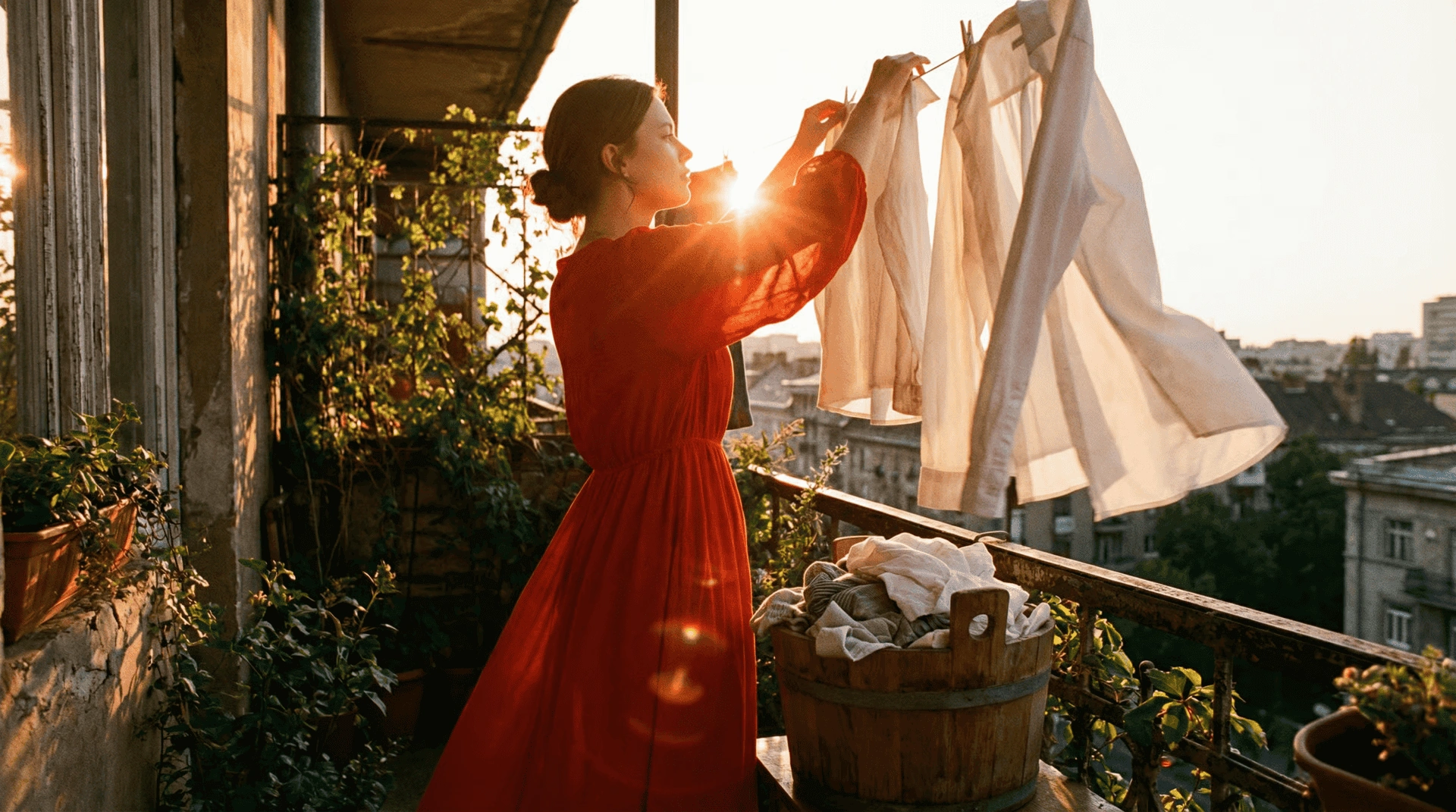
The girl is elegantly hanging clothes to dry. After finishing one piece, she takes another item from the bucket and shakes it out forcefully.

参考图片
参考图片
输出
03
2 张图片

首尾帧生视频

首尾帧生视频使用两张图片分别控制视频的开始和结束画面,Seedance 2.0 会生成两帧之间的运动过程。

最适合

场景转场角色变换产品揭示前后对比视频可控的开始与结束镜头

提示词示例

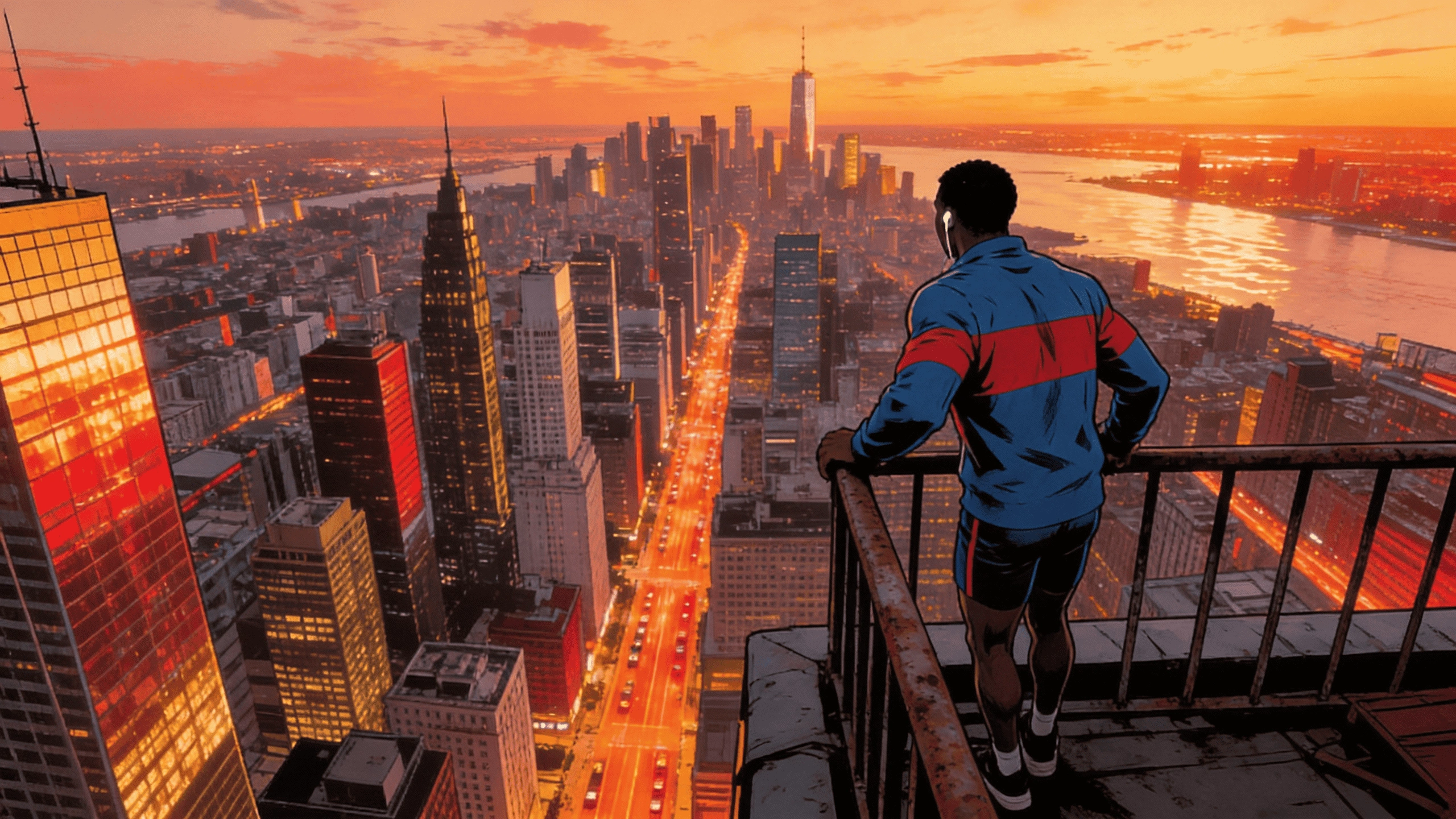
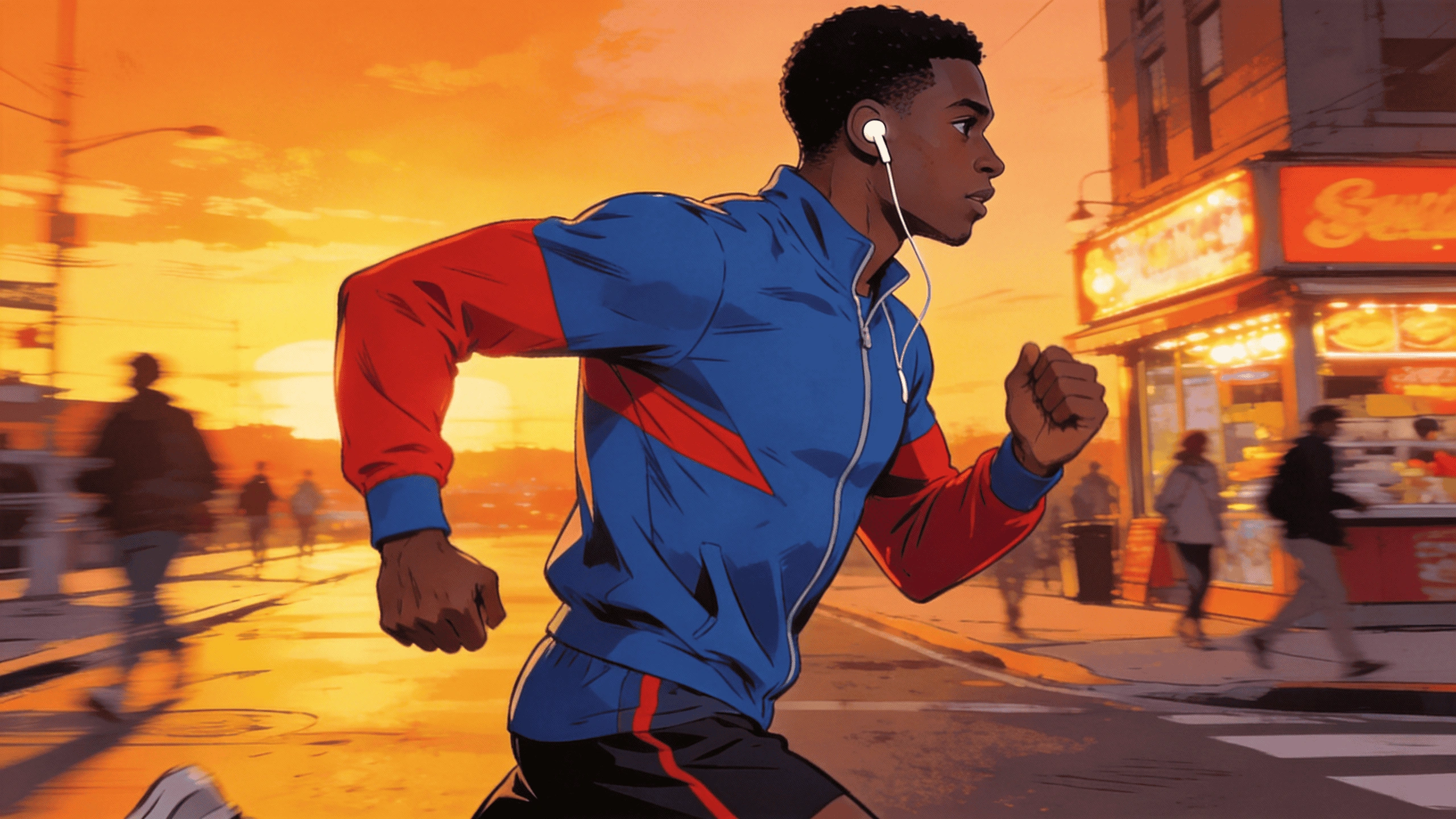
@Image1 as the first frame, @Image2 as the last frame. A continuous tracking shot seamlessly follows the runner from the street, up the stairs, through the corridor, onto the rooftop, and finally overlooking the city.

首帧
首帧
尾帧
尾帧
输出
04
3 张图片

多参考(Omni Reference)

多参考(有时也称为 Omni Reference)允许你同时使用多种参考素材,例如图片、视频、音频文件和文本提示词。

为让 Seedance 2.0 更贴合你的音频参考,可尝试使用黑屏视频代替直接输入音频,这样能提升节奏和时间同步的一致性。查看完整指南

最适合

角色 + 服装 + 场景参考图片 + 运动视频参考音频驱动的 MV 生成多素材复杂视频生成更精准可控的画面方向

提示词示例

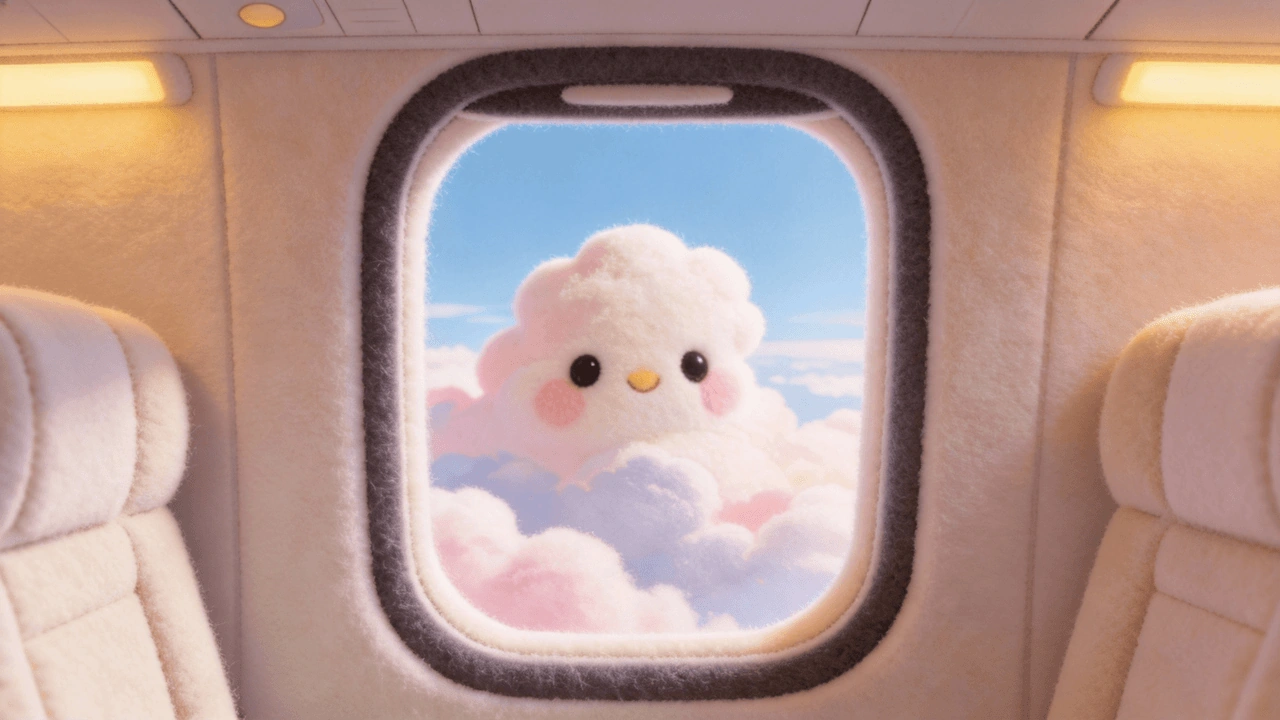
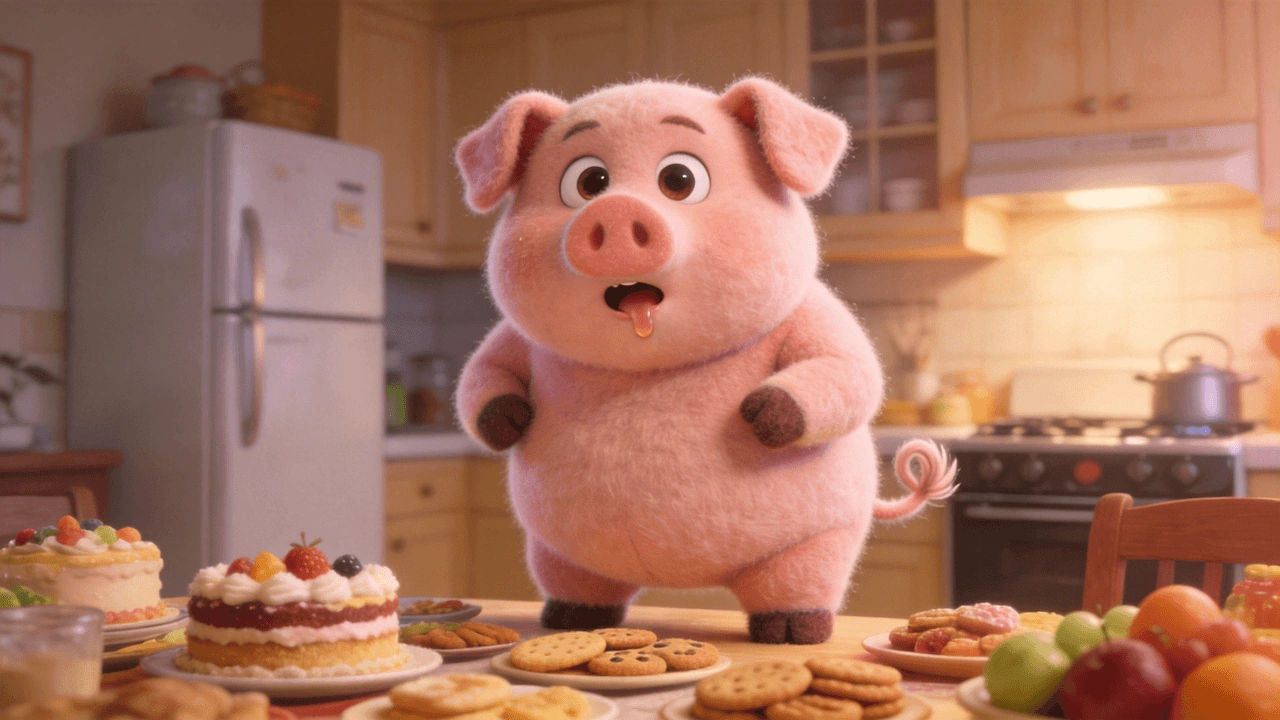
Use @image1 as the first frame. The shot zooms out through the airplane window, revealing clouds slowly drifting into view. One of the clouds, decorated with colorful candy-like dots, remains centered in the frame and gradually transforms into the ice cream from @image2. The camera then pulls back into the airplane cabin, where @image3, seated by the window, reaches out and takes the ice cream from outside. She takes a bite, gets cream all over her mouth, and her face lights up with a sweet, joyful smile.

参考图片 1
参考图片 1
参考图片 2
参考图片 2
参考图片 3
参考图片 3
输出
05
1 个视频

视频延展

在 SeeGen AI 上,视频延展可通过多参考工作流实现。你可以上传上一段视频片段作为参考,让 Seedance 2.0 延续该场景继续生成。

最适合

延续上一个镜头创作更长的故事情节延展 MV 或影视片段保持相似的场景风格

提示词示例

Use the dog in @video1 as Subject 1. Extend the original video to 10 seconds and add the following continuation: 0-5s show the original scene from @video1; 6-8s show Subject 1's round chubby body slowly rolling down the slope; 9-10s show Subject 1 rolling to the bottom of the hill and getting stuck in the doorway of a small wooden cabin. The overall tone should be bright and soft, with a relaxed rhythm and a touch of humor.

参考视频
输出
06
1 个视频 + 1 张图片

视频编辑

视频编辑同样可通过多参考工作流实现。上传原始视频作为参考,然后描述你想要的改动。

最适合

更换背景更换服装调整画面风格调整氛围用新参考素材重新创作视频

提示词示例

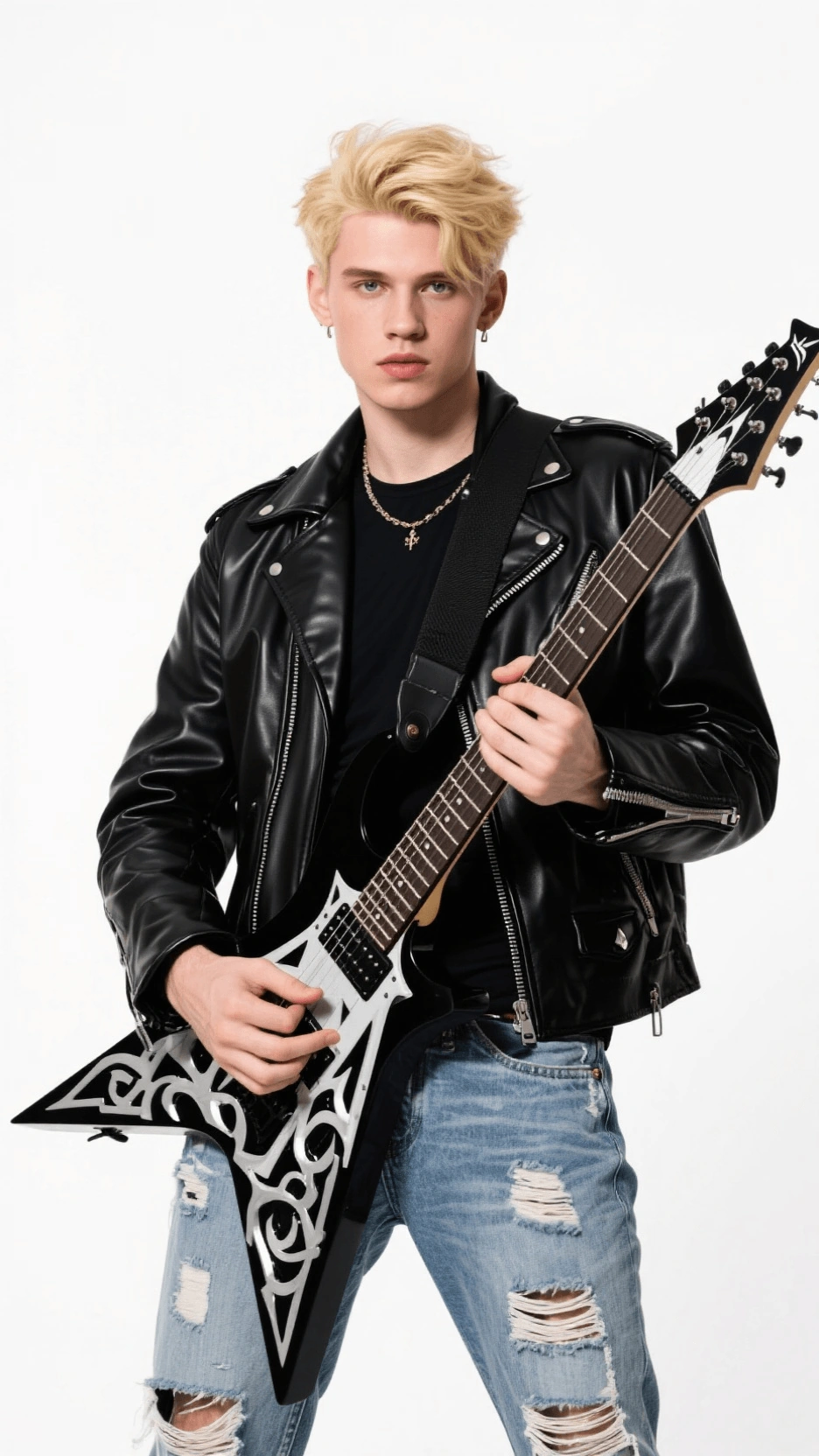
Replace the female lead singer in @video1 with the male lead singer from @image1. The motion should closely follow the original video. Do not use any cuts or scene transitions. The band is performing and singing the music.

原始视频
参考图片
参考图片
输出
使用方法

如何在 SeeGen AI 上使用 Seedance 2.0

1

上传参考文件

如果希望 Seedance 2.0 遵循特定的角色、动作、场景或声音,请上传图片、视频或音频文件。如果是文生视频,可跳过此步骤。

2

撰写提示词

如果上传了参考素材,使用 @ 引用来告诉 Seedance 2.0 如何使用每个文件,例如角色参考、动作参考或原始视频参考。

3

生成并下载

选择生成设置,例如时长、画面比例、分辨率、随机种子,以及是否生成音频,然后点击生成。视频生成完成后,预览结果并下载。

重要使用说明

Seedance 2.0 重要使用须知

真人参考素材

使用真人面孔作为参考素材时,Seedance 2.0 可能存在一定限制。为解决这一问题,SeeGen AI 推出了素材审核机制,以支持将真人面孔用作参考。

在 SeeGen AI 上,通过官方审核流程的面孔素材即可用作参考。如果生成结果包含受版权保护、受限或敏感内容,生成仍可能被拦截,此时积分将被退还。

SeeGen AI 上传指南

音频参考一致性

Seedance 2.0 支持音频参考,但直接输入音频未必总能精确贴合原始节奏和时间点。为获得更好的一致性,你可以将音频转换为黑屏视频,改用视频参考的方式提交。

Seedance 2.0 音频指南
常见问题

关于 Seedance 2.0 使用指南的常见问题

使用 Seedance 2.0 能创作什么内容?+
你可以用 Seedance 2.0 创作电影感视频、角色动画、音乐视频、产品视频、社交媒体短片,以及视频剪辑风格的作品。
什么是多参考 / Omni Reference?+
多参考(Multi-Reference),有时也称为 Omni Reference,可让你同时使用多个参考素材,例如图片、视频、音频文件和文本提示词。这有助于 Seedance 2.0 更好地理解你想要遵循的角色、动作、场景、风格或音频。
@ 引用是如何工作的?+
当你上传多个参考文件时,可以在提示词中使用 @ 引用来告诉 Seedance 2.0 每个文件应如何使用。例如:将 @image1 用作主角参考,将 @video1 用作动作参考。
Seedance 2.0 中的 Seed 是什么?+
Seed 是用于控制随机性的数值。使用相同的 seed、相同的提示词和相同的参考文件,有助于生成更相近的结果。若留空,结果将是随机的。
我可以用 Seedance 2.0 延长视频吗?+
可以。你可以上传之前的视频片段作为参考,并通过多参考工作流让 Seedance 2.0 延续同一场景。
我可以用 Seedance 2.0 编辑视频吗?+
可以。你可以上传原始视频作为参考,并描述你想要更改的内容,例如背景、风格、服装、动作或氛围。
如何获得更好的 Seedance 2.0 生成效果?+
使用清晰的参考素材,撰写具体的提示词,在使用多个参考时借助 @ 引用,保持主体和动作清晰,并在想要相近效果时复用一个好的 seed。

在 SeeGen AI 上用 Seedance 2.0 开始创作。

从一句提示词开始,加入重要的参考素材,生成对角色、动作、风格和声音掌控力更强的电影感 AI 视频。