01
準備素材
先準備好原始音訊、清晰的角色圖片參考,以及定義預期對嘴效果的歌詞或對白台詞。
試試這個黑畫面影片工作流程,讓 Seedance 2.0 更貼合參考音訊,適用於對嘴同步、MV 製作與角色影片。
問題
音訊參考可能在節奏與間隔上出現偏移。
解法
將音訊片段轉換為黑畫面影片作為輸入。
Seedance 2.0 原生支援音訊參考,但直接用音訊作為參考,可能導致生成音訊與原始音訊出現明顯差異,這在音樂上尤其明顯。

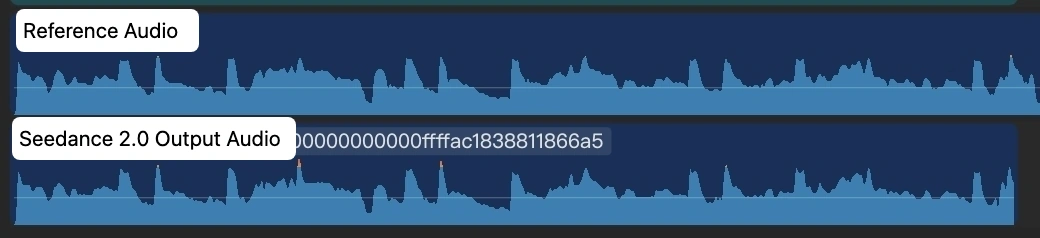
關鍵解法很簡單:把每段音訊轉成黑畫面影片,再將這段黑畫面影片作為 Seedance 2.0 的輸入。
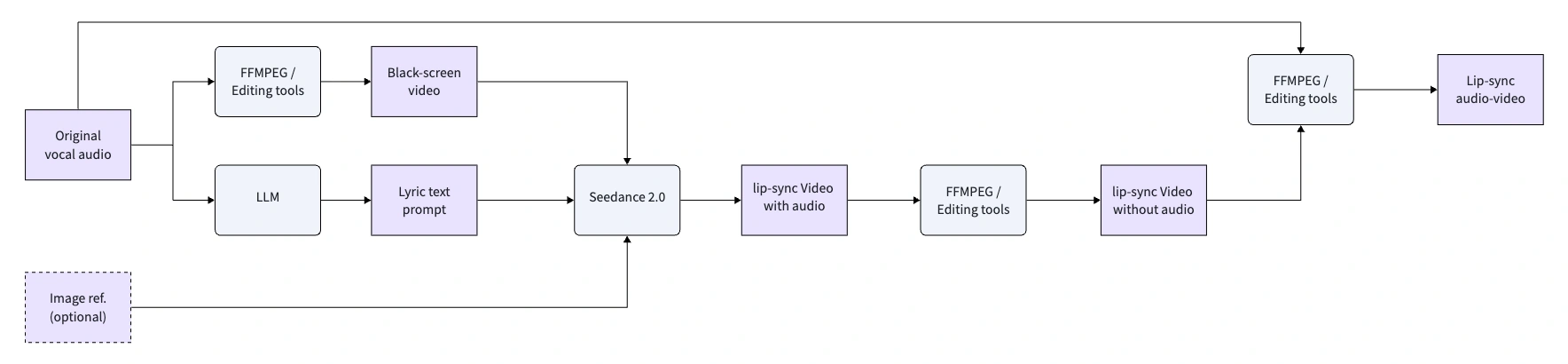
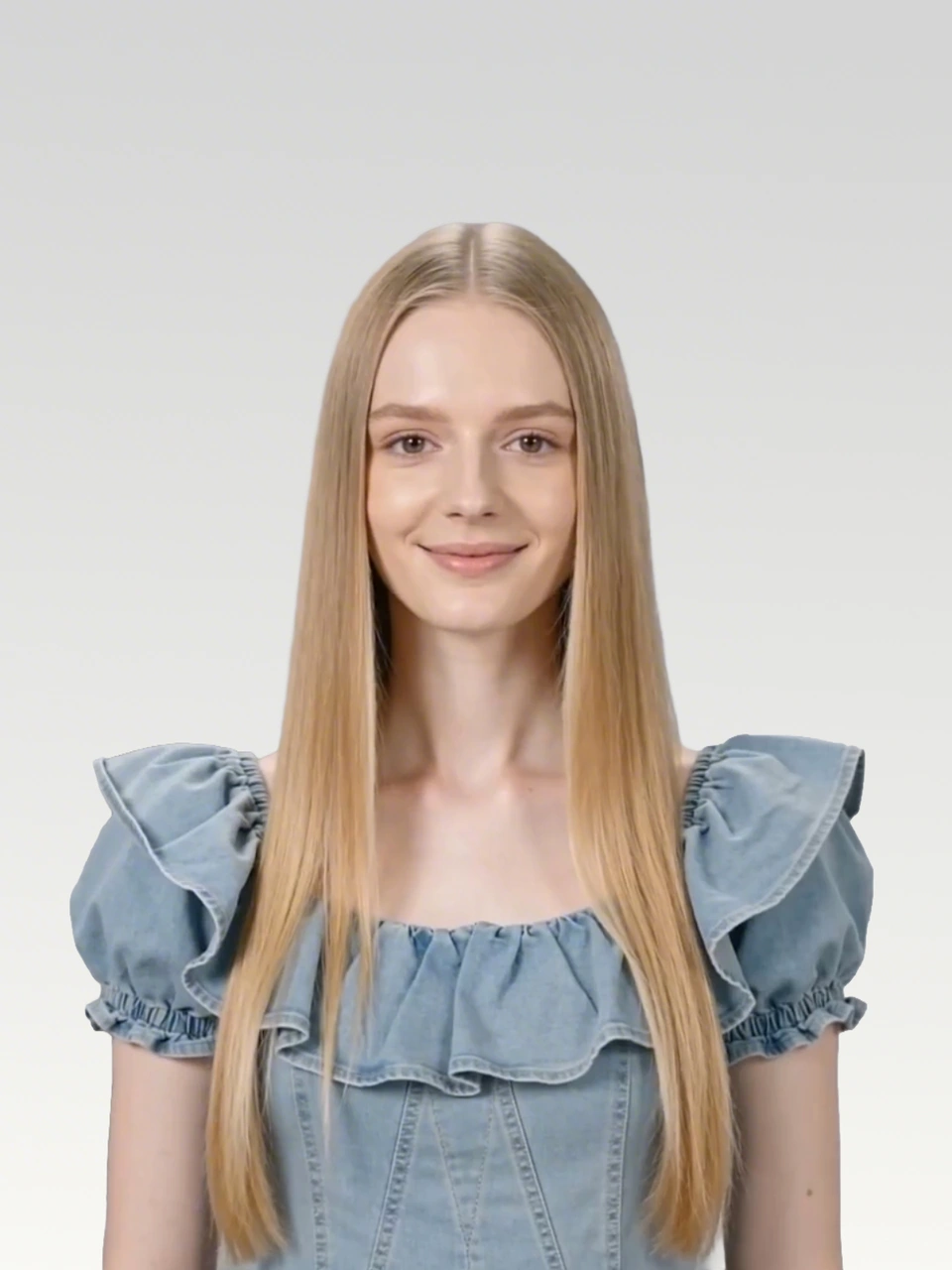
先準備好原始音訊、清晰的角色圖片參考,以及定義預期對嘴效果的歌詞或對白台詞。
由於 Seedance 2.0 支援的影片長度不超過 15 秒,請將較長的音樂或對白分割成多個較短的片段。
建立一個帶有原始音軌的黑畫面 MP4。這能把音訊轉換成 Seedance 可以更緊密貼合的影片輸入。
將黑畫面影片作為輸入參考,並讓輸出時長與輸入影片時長嚴格保持一致。
原始音訊
Waking up to golden light. Coffee warm and feeling right.
Birds are singing just for me. Living life so wild and free.
This is my beautiful life. Every moment shining bright.
Dancing through the ups and downs. Wearing joy like a crown.
Beautiful life, oh yeah. Beautiful life
您可以用 FFmpeg 建立,或使用 CapCut 之類的影片編輯工具,把音訊片段放到黑色畫布上並匯出為 MP4。
ffmpeg -f lavfi -i color=c=black:s=1280x720:r=24 -i clip1_audio.mp3 -shortest -c:v libx264 -c:a aac clip1.mp4每個片段都以黑畫面影片作為參考輸入,再要求 Seedance 2.0 以嚴格對嘴形的方式驅動圖片中的主角。
黑畫面參考影片與 Seedance 2.0 輸出成果
提示詞
Use the audio from @Video 1 to drive the protagonist in @Image 1 to generate an MV with multiple shots, creating an overall light, lively, and sunny atmosphere. Lip-sync is strictly synchronized: "woo~ woo~"
黑畫面影片
輸出影片
黑畫面參考影片與 Seedance 2.0 輸出成果
提示詞
Use the audio from @Video 1 to drive the protagonist in @Image 1 to generate an MV with multiple shots, change the outfit and background, and create an overall light, lively, and sunny atmosphere. Lip-sync strictly: "Waking up to golden light. Coffee warm and feeling right."
黑畫面影片
輸出影片
黑畫面參考影片與 Seedance 2.0 輸出成果
提示詞
Use the audio from @Video 1 to drive the protagonist in @Image 1 to generate an MV with multiple shots, change the outfit and background, and create an overall light, lively, and sunny atmosphere. Lip-sync strictly: "Birds are singing just for me. Living life so wild and free."
黑畫面影片
輸出影片
黑畫面參考影片與 Seedance 2.0 輸出成果
提示詞
Use the audio from @Video 1 to drive the protagonist in @Image 1 to generate an MV with multiple shots, change the outfit and background, and create an overall light, lively, and sunny atmosphere. Lip-sync strictly: "This is my beautiful life"
黑畫面影片
輸出影片
黑畫面參考影片與 Seedance 2.0 輸出成果
提示詞
Use the audio from @Video 1 to drive the protagonist in @Image 1 to generate an MV with multiple shots, change the outfit and background, and create an overall light, lively, and sunny atmosphere. Lip-sync strictly: "Every moment shining bright, Dancing through the ups and downs. Wearing joy like a crown."
黑畫面影片
輸出影片
黑畫面參考影片與 Seedance 2.0 輸出成果
提示詞
Use the audio from @Video 1 to drive the protagonist in @Image 1 to generate an MV with multiple shots, change the outfit and background, and create an overall light, lively, and sunny atmosphere. Lip-sync strictly: "woo~ Beautiful life, oh yeah Beautiful life"
黑畫面影片
輸出影片
輸出音訊與輸入音訊並非 100% 一致,但一致性已足夠高,能在 MV 製作過程中降低後期調整成本。
把音訊片段轉換成黑畫面參考影片,接著在 SeeGen AI 上產生一致性更高的對嘴形影片。
免費試用 Seedance 2