01
素材を準備する
元の音声、はっきりしたキャラクターの参照画像、そしてリップシンクの内容を決める歌詞やセリフを用意します。
この黒画面動画ワークフローを試してみてください。リップシンク、MV 制作、キャラクター動画で、Seedance 2.0 が参照音声をより忠実に追従するようになります。
問題
音声参照はリズムや間隔がずれることがあります。
解決策
音声セグメントを黒画面の動画として入力します。
Seedance 2.0 は音声参照にネイティブ対応していますが、音声をそのまま参照として使うと、生成された音声と元の音声に大きな差が出ることがあります。特に音楽ではこの差が顕著です。

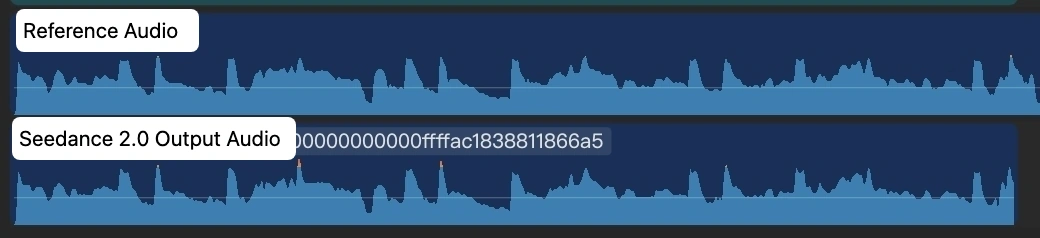
解決の鍵はシンプルです。各音声セグメントを黒画面の動画に変換し、その黒画面動画を Seedance 2.0 の入力として使います。
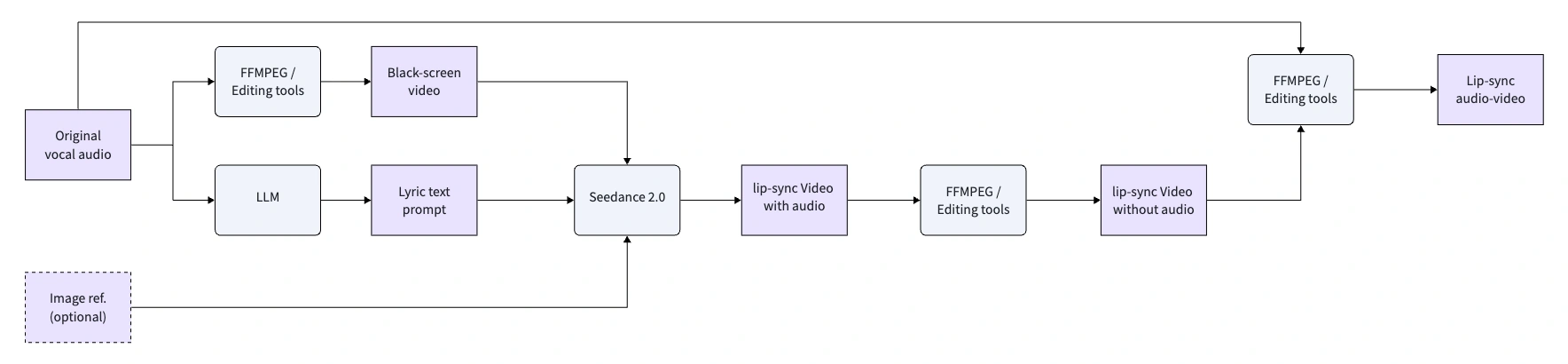
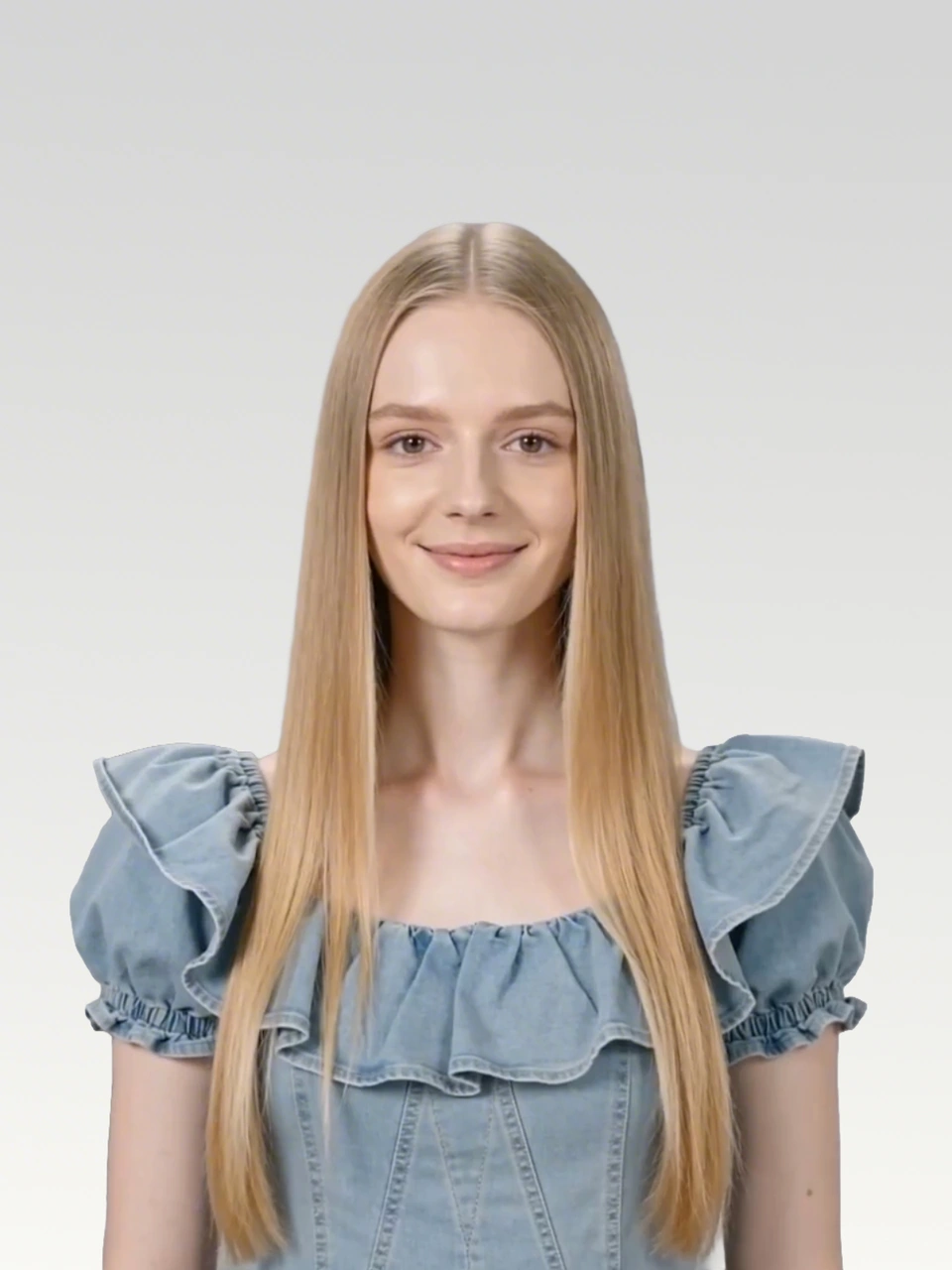
元の音声、はっきりしたキャラクターの参照画像、そしてリップシンクの内容を決める歌詞やセリフを用意します。
Seedance 2.0 が対応する動画は最長 15 秒のため、長い楽曲やセリフは複数の短いセグメントに分割します。
元の音声トラックを含む黒画面の MP4 を作成します。これで音声が、Seedance がより忠実に追従できる動画入力になります。
黒画面動画を入力参照として使い、出力の長さは入力動画の長さと厳密に一致させます。
元の音声
Waking up to golden light. Coffee warm and feeling right.
Birds are singing just for me. Living life so wild and free.
This is my beautiful life. Every moment shining bright.
Dancing through the ups and downs. Wearing joy like a crown.
Beautiful life, oh yeah. Beautiful life
FFmpeg で作成するか、CapCut などの動画編集ソフトで音声セグメントを黒いキャンバスに配置し、MP4 として書き出します。
ffmpeg -f lavfi -i color=c=black:s=1280x720:r=24 -i clip1_audio.mp3 -shortest -c:v libx264 -c:a aac clip1.mp4各セグメントでは黒画面動画を参照入力として使い、Seedance 2.0 に画像内の主人公を厳密なリップシンクで動かすよう指示しています。
黒画面の参照動画と Seedance 2.0 の出力
プロンプト
Use the audio from @Video 1 to drive the protagonist in @Image 1 to generate an MV with multiple shots, creating an overall light, lively, and sunny atmosphere. Lip-sync is strictly synchronized: "woo~ woo~"
黒画面動画
出力動画
黒画面の参照動画と Seedance 2.0 の出力
プロンプト
Use the audio from @Video 1 to drive the protagonist in @Image 1 to generate an MV with multiple shots, change the outfit and background, and create an overall light, lively, and sunny atmosphere. Lip-sync strictly: "Waking up to golden light. Coffee warm and feeling right."
黒画面動画
出力動画
黒画面の参照動画と Seedance 2.0 の出力
プロンプト
Use the audio from @Video 1 to drive the protagonist in @Image 1 to generate an MV with multiple shots, change the outfit and background, and create an overall light, lively, and sunny atmosphere. Lip-sync strictly: "Birds are singing just for me. Living life so wild and free."
黒画面動画
出力動画
黒画面の参照動画と Seedance 2.0 の出力
プロンプト
Use the audio from @Video 1 to drive the protagonist in @Image 1 to generate an MV with multiple shots, change the outfit and background, and create an overall light, lively, and sunny atmosphere. Lip-sync strictly: "This is my beautiful life"
黒画面動画
出力動画
黒画面の参照動画と Seedance 2.0 の出力
プロンプト
Use the audio from @Video 1 to drive the protagonist in @Image 1 to generate an MV with multiple shots, change the outfit and background, and create an overall light, lively, and sunny atmosphere. Lip-sync strictly: "Every moment shining bright, Dancing through the ups and downs. Wearing joy like a crown."
黒画面動画
出力動画
黒画面の参照動画と Seedance 2.0 の出力
プロンプト
Use the audio from @Video 1 to drive the protagonist in @Image 1 to generate an MV with multiple shots, change the outfit and background, and create an overall light, lively, and sunny atmosphere. Lip-sync strictly: "woo~ Beautiful life, oh yeah Beautiful life"
黒画面動画
出力動画
出力音声は入力音声と 100% 同一ではありませんが、MV 制作におけるポストプロダクションの調整コストを減らせるだけの一貫性があります。
音声セグメントを黒画面の動画参照に変換して、SeeGen AI でより一貫したリップシンク動画を生成しましょう。
Seedance 2 を無料で試す