01
参照の役割
各画像・動画・音声の参照が何を制御すべきかを定義します。
テキストから動画、マルチリファレンス生成、動画編集、動画延長、音声駆動の動画、30秒のストーリーテリングまで、より良い Seedance 2.5 プロンプトの書き方を学びましょう。
明確な参照の役割、タイムライン、カメラ指示、音声の指定、一貫性のルールを活用して、より思いどおりで安定した結果を得られます。
良い Seedance 2.5 プロンプトは、何を作りたいか、各参照素材をどう使うか、時間とともに何が起きるか、何を一貫させるべきかをモデルに明確に伝えます。すべてのプロンプトを長くする必要はありません。目的は、不要な詳細を加えずに明確な指示を与えることです。
元のプロンプト
Use the reference image for the bald man. In a 1990s American diner, he bumps into a waitress carrying breakfast. Food and coffee fly everywhere and time suddenly freezes. Everyone stops moving except him. He grabs some bacon and an egg, walks toward the exit while eating, then time returns to normal and everything falls to the floor. He turns back and shrugs. Make it cinematic, realistic, dramatic, and funny.
最適化したプロンプト
Photorealistic cinematic 1990s American diner with red vinyl booths, neon signs, chrome details, checkerboard floor, soft window light mixed with warm practicals, subtle handheld texture, lived-in period detail, and heavy film grain. Use @Image1 as the exact character reference for the bald bearded man in black sunglasses and a dark hoodie. Keep his face, beard, head shape, skin texture, and clothing consistent throughout. 0–5s — Medium Wide The man sits in a red booth, stands up, turns, and collides hard with a waitress carrying a breakfast tray with eggs, bacon, toast, and a coffee pot. 5–12s — Dynamic Tracking / Super Slow Motion The collision sends the tray, food, and coffee flying upward. Coffee forms suspended ribbons and droplets as the camera smoothly orbits the impact. At the peak, time freezes completely: the waitress, patrons, and airborne food remain motionless. Only the man can move. He pauses with a clear "I messed up" expression, then grabs two bacon strips and a fried egg from the frozen debris. 12–22s — Tracking Shot He walks through the frozen diner toward the exit, casually eating the bacon and egg. Everyone and everything else remains perfectly suspended. 22–27s — Medium Shot As he reaches the door, time suddenly resumes. Plates, food, tray, and coffee crash to the floor at once while the waitress and patrons react in shock. 27–30s — Medium Close-Up He pauses, turns slightly, raises his eyebrows, and gives a small "it is what it is" shrug with a quiet half-smile, still holding the remaining food. STYLE & REQUIREMENTS: Photorealistic, cinematic lighting, realistic fluid and object physics, detailed suspended coffee droplets, natural motion blur, stable character identity, heavy film grain, strong temporal coherence, no visual artifacts.
Seedance 2.5 のプロンプトは、必ずしも8つの要素すべてが必要というわけではありません。最低限、被写体・動作・舞台設定を明確にしてください。参照用の画像・動画・音声を使う場合は、各参照が何を制御し、どの被写体を表すのかも説明しましょう。より精密な制御が必要な場合は、カメラ、ビジュアルスタイル、音声、一貫性の指示を追加してください。
各画像・動画・音声の参照が何を制御すべきかを定義します。
参照素材をキャラクター・製品・物・シーンに明確に対応させます。
場所、背景、雰囲気、重要なシーンのディテールを説明します。
主な動作を説明し、長い動画や複数ショットの動画にはタイムスタンプを使います。
ショットサイズ、カメラアングル、動き、フレーミング、切り替えを定義します。
ビジュアルスタイル、ライティング、色調、ムード、全体の雰囲気を設定します。
セリフ、言語、音楽、効果音、環境音、または音声参照を指定します。
キャラクターの同一性、服装、製品、環境などの重要なディテールを固定します。
基本のプロンプト公式
参照 + 被写体 + 舞台設定 + タイムライン + カメラ + スタイル + 音声 + 制約条件
Seedance 2.5 に画像・動画・音声をアップロードしたら、@mentions を使って各参照が何を制御すべきかをモデルに伝えましょう。1つのプロンプトで複数の素材を組み合わせる場合、参照の役割を明確にすることが特に重要です。編集や延長のリクエストには、専用の動画編集モードまたは動画延長モードを使用してください。
キャラクター参照
Use @Image1 as the main character reference.
製品・衣装参照
Keep the product and outfit consistent with @Image2.
シーン・スタイル参照
Use @Image3 as the environment and visual style reference.
モーション参照
Follow the character motion and timing from @Video1.
カメラ参照
Follow the camera movement and framing from @Video2.
オーディオ参照
Use @Audio1 as the music, rhythm, or voice reference.
最初と最後のフレーム
Start from @Image1 and naturally transition to @Image2 as the final frame.
動画延長
Continue @Video1 forward with the same character, scene, camera movement, and visual style.
動画編集
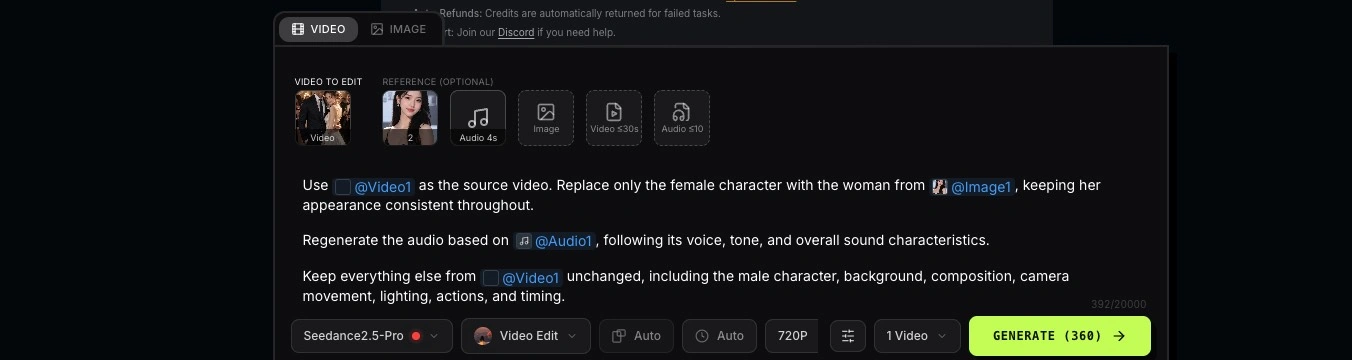
Use @Video1 as the source video. Replace the red bag with the black bag from @Image1 while keeping everything else unchanged.
ヒント: @Image1 や @Video1 と書くだけでなく、その参照が何を担当するのかを必ず説明しましょう。
さまざまな動画スタイルやクリエイティブなシーン向けの、そのまま使える Seedance 2.5 プロンプト例をご覧ください。プロンプトをコピーし、参照素材やディテールを調整して、自分の動画づくりの出発点にしましょう。
テキストプロンプトのみで動画を生成します。必要に応じて、被写体、動作、舞台設定、タイムライン、カメラワーク、ライティング、スタイル、音声を説明してください。
プロンプト要素: 被写体・舞台設定・動作・カメラ・ライティング・制約条件
プロンプト例
A young East Asian woman in a grey sleeveless top with thin silver hoop earrings, soft overcast light, blurred coastal background, and subtle handheld camera drift. Her hair moves gently in the wind. 1. She holds back a cry, lips pressed tight, chin trembling, tears filling her eyes. 2. She breaks into a sob. Tears roll down her cheeks as she closes her eyes and lowers her head. 3. Her shirt collar is pulled upward from below frame, covering her chin, mouth, and nose with realistic fabric deformation. No hands or arms appear. 4. The fabric falls back naturally. She looks downward, exhausted, breathing heavily with tears still on her face.
画像から動画、および最初と最後のフレームを含みます。キーフレーム画像を使って動画の開始点、または開始と終了の両方を指定し、その間の動きや切り替わりを説明します。
プロンプト要素: 参照・被写体・舞台設定・タイムライン・カメラ・スタイル・一貫性
参照素材
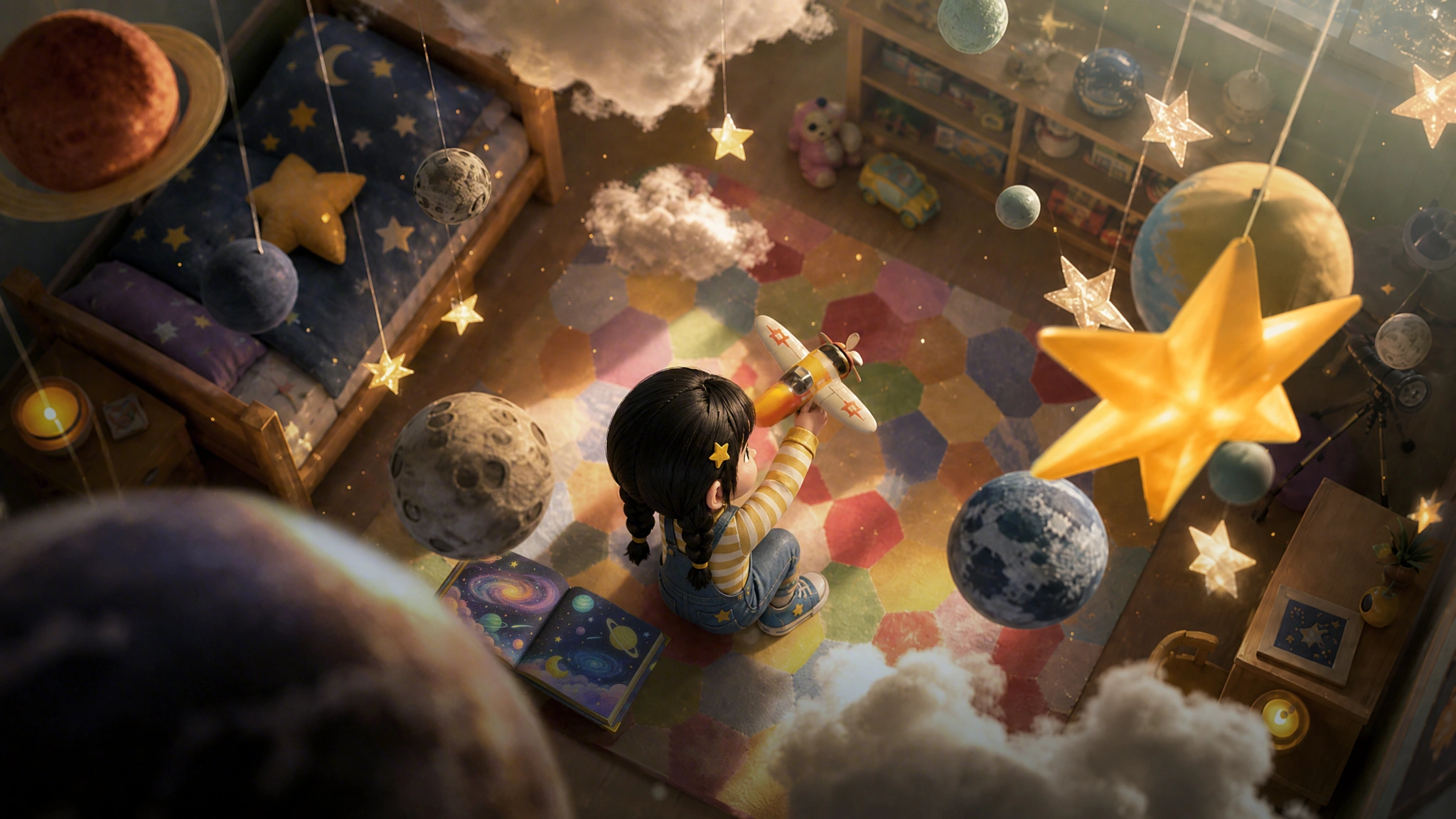
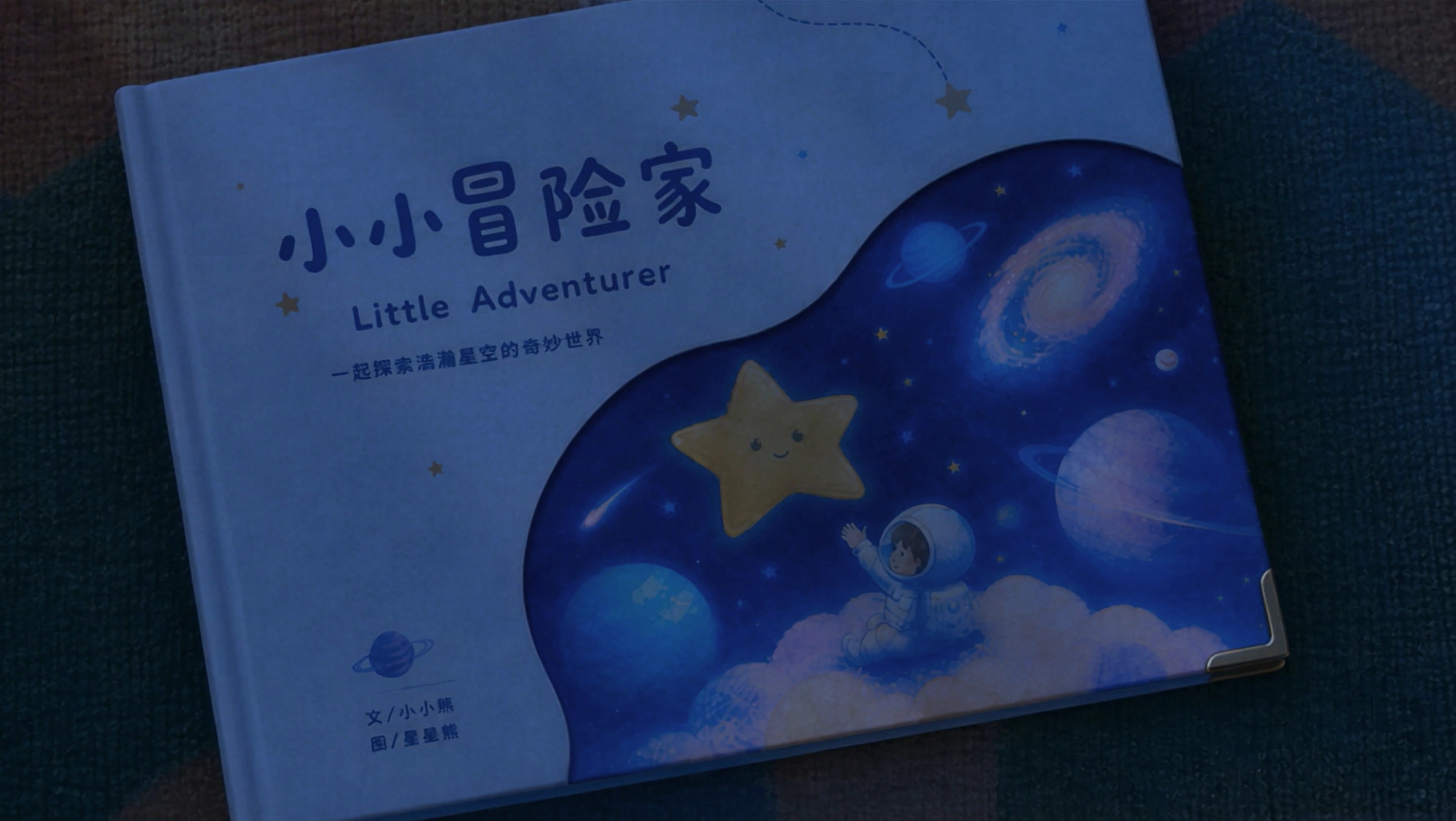
プロンプト例
Use @Image1 as the opening keyframe and @Image2 as the final keyframe. Maintain the little girl's character design and the warm, dreamy 3D animated style throughout. Create a 30-second fantasy animated short film with smooth cinematic transitions, continuous character motion, and a warm, fairytale-like atmosphere. 0–3s — Bedroom Start from the overhead bedroom composition in @Image1. Slowly push toward the little girl sitting on the carpet with a toy airplane. She stands, turns left, and throws the airplane forward. As it flies toward the camera, the sound transforms from a toy airplane into a real engine, with gentle cheerful music beginning underneath. 3–8s — Fantasy Sky The airplane carries the girl into a magical sunset sky. The camera follows from the side and slowly orbits around her. She flies through glowing clouds alongside strange birds, a white dragon, a winged horse, and a flying whale, with floating islands in the distance. 8–19s — Underwater to Space The airplane dives toward the ocean and the girl falls underwater in a burst of bubbles. Wearing a bubble-shaped oxygen helmet, she swims deeper until a manta ray carries her through a colorful underwater world. Ahead, a huge space-time rift appears like shattered mirrors surrounding a glowing galaxy. She is pulled through it into a fantasy universe. 19–23s — Fantasy Universe Her outfit transforms into a spacesuit. She jumps between small planets, reaches forward, and catches a glowing star. 23–28s — Return to Bedroom The fantasy world flips and dissolves into the overhead bedroom from @Image1. The girl is now asleep on the carpet, still holding the star-catching pose. A toy airplane and space-themed picture book lie beside her. Her father enters and gently covers her with a blanket as the lighting shifts from warm dusk to cool moonlight. 28–30s — Final Frame The camera slowly pushes toward the picture book. Her father gently closes it with his right hand. Transition naturally into the exact final composition of @Image2, then hold on the final frame. Style & Consistency: High-quality 3D animation, dreamy fairytale atmosphere, cinematic color, soft volumetric lighting, smooth camera movement, natural long-take transitions, consistent character proportions and appearance, expressive but natural emotions, and continuous motion throughout. Avoid abrupt cuts, character drift, flickering, or inconsistent visual style.
マルチリファレンスから動画(Omni Reference とも呼ばれます)は、複数の画像・動画・音声の参照を組み合わせて、キャラクター、シーン、動き、スタイル、音を制御します。
プロンプト要素: 参照 + 被写体 + 舞台設定 + タイムライン + カメラ + スタイル + 音声 + 制約条件
参照素材
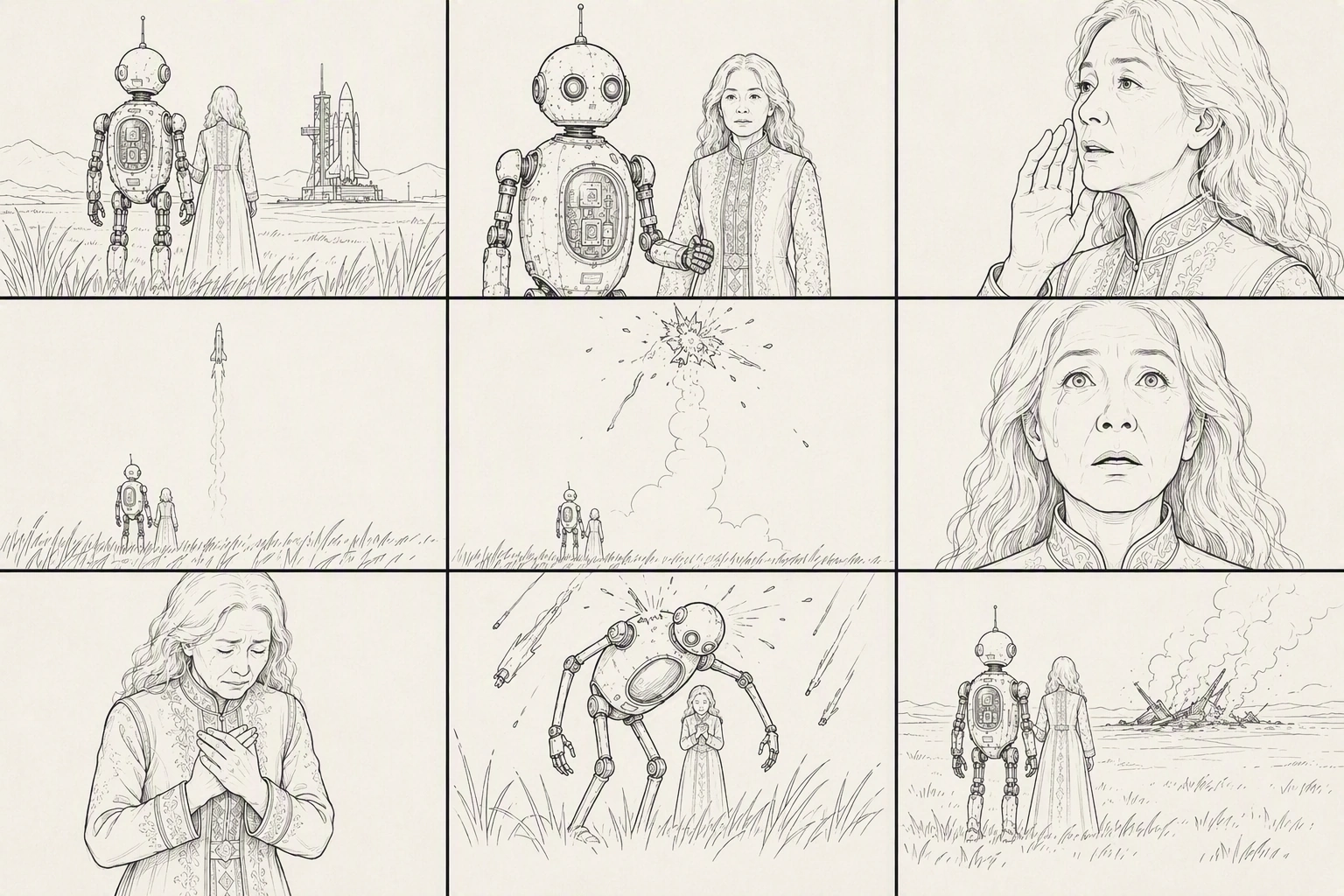
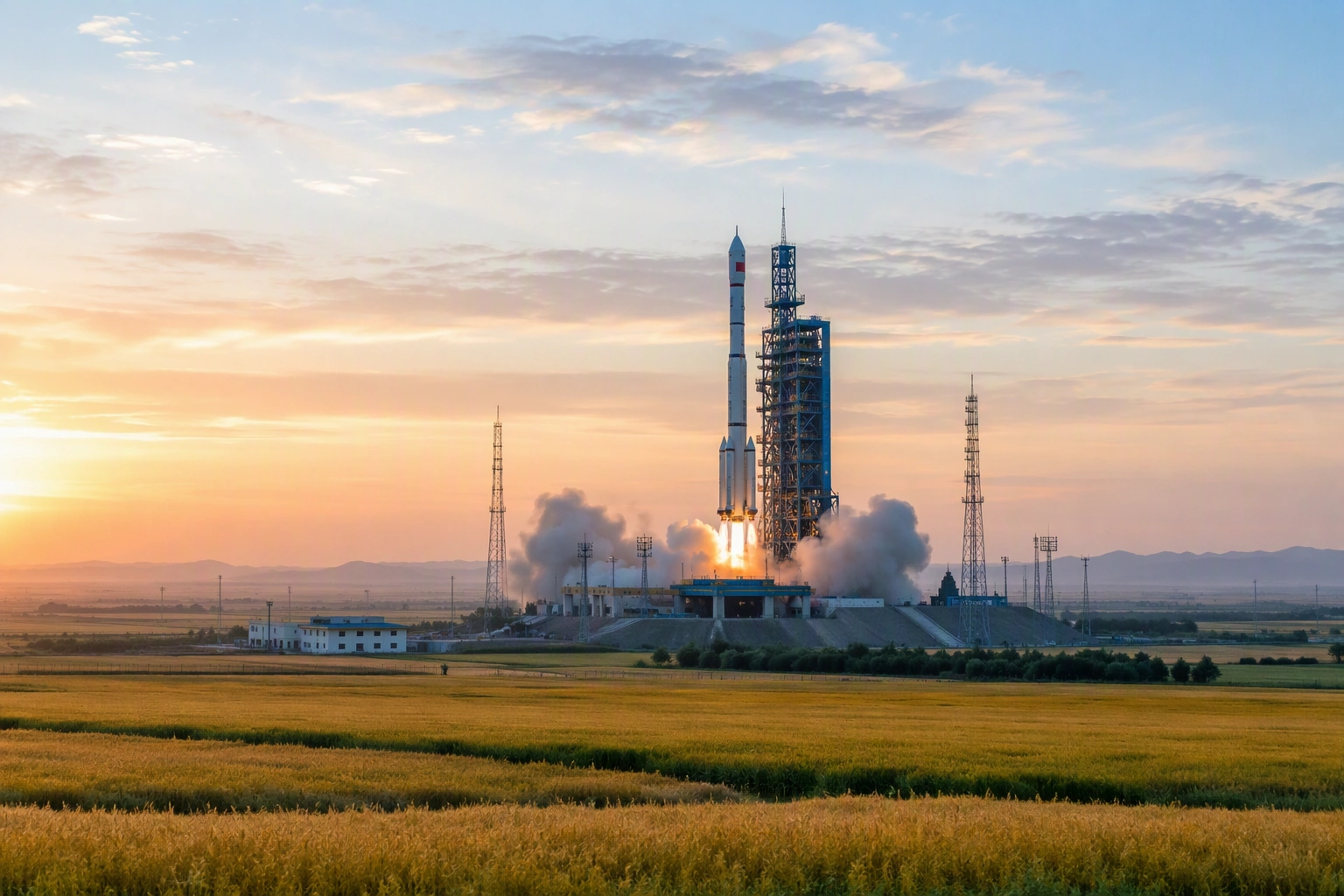
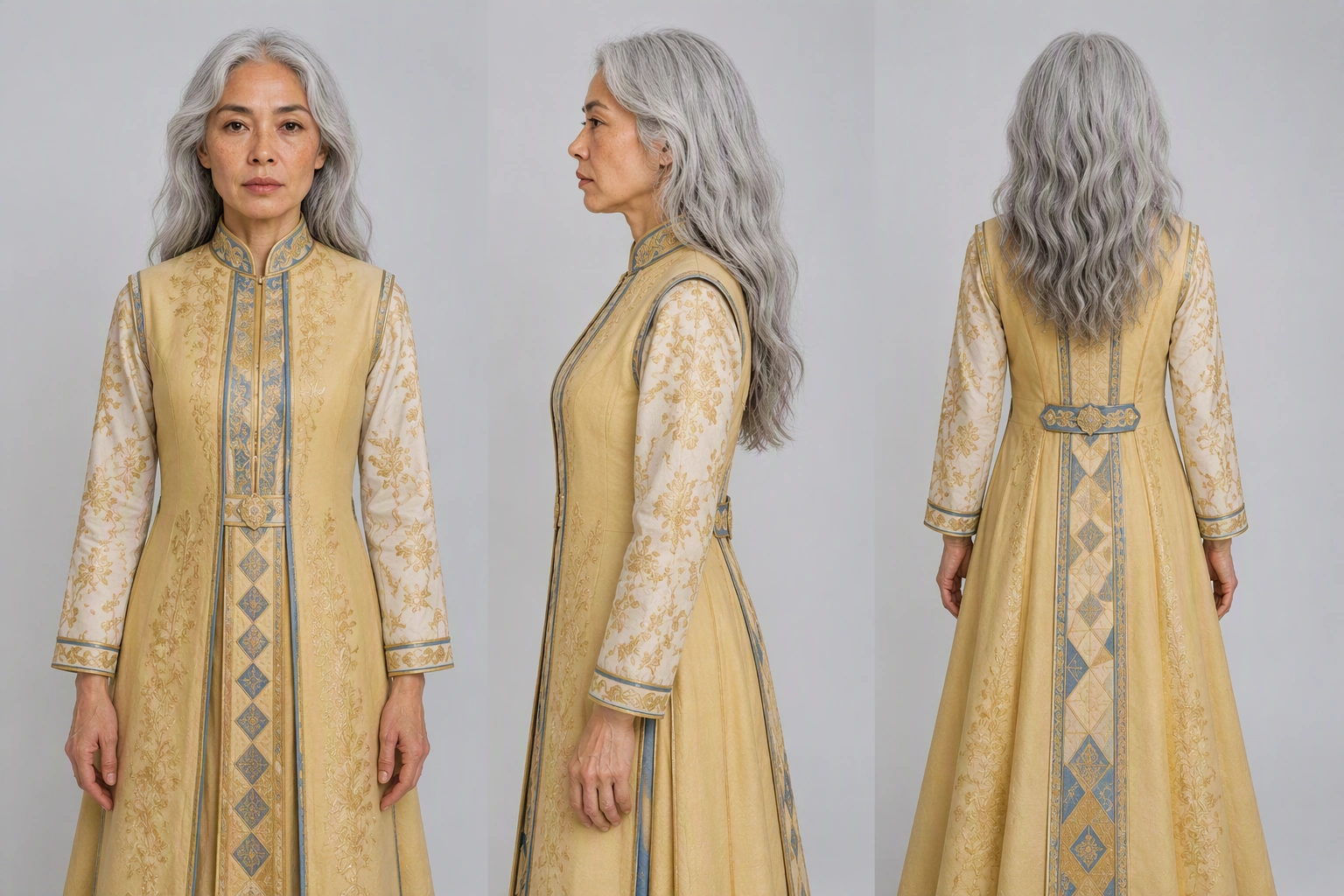
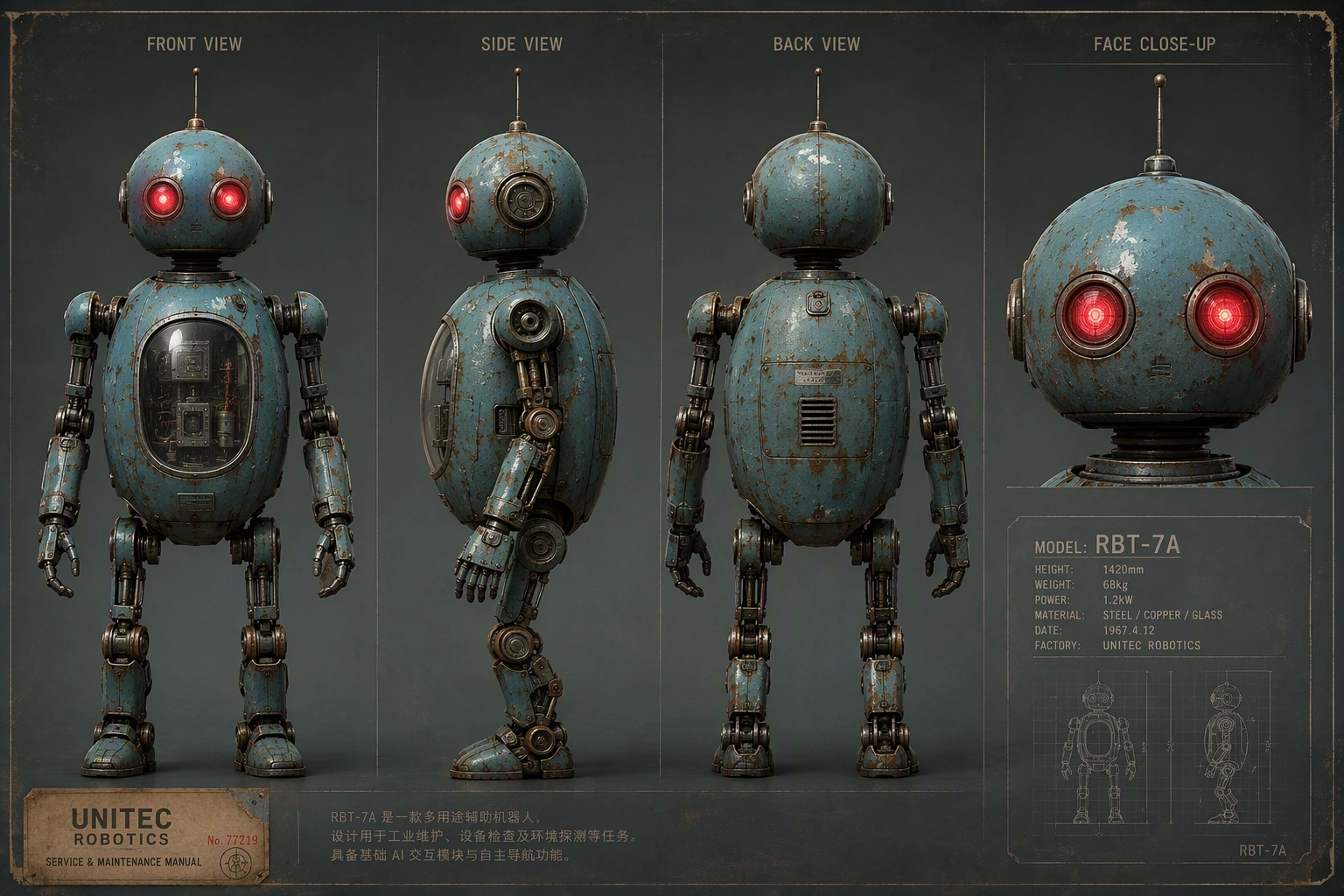
プロンプト例
References @Image1 = 9-panel storyboard for shot order, framing, and camera rhythm. @Image2 = dusk grassland rocket-launch site, environment, composition, and lighting. @Image3 = guardian robot appearance. @Image4 = elderly grandmother appearance. Subjects Guardian robot: follow @Image3. Tall weathered retro-futuristic robot with blue-green metal, rust, domed head, red camera eyes, antennas, and slender limbs; about twice human height. Grandmother: follow @Image4. Frail elderly woman with silver hair in a low bun, deep wrinkles, and a bright gold floor-length embroidered dress. She reaches roughly the robot's chest. Environment & Style Follow @Image2: vast grassland at dusk, warm golden sunset fading into cool blue twilight, distant launch tower and white rocket, steam rising, tall grass moving in the wind. Photorealistic live-action cinematic look, color 35mm film grain, rich grading, IMAX feel, shallow depth of field, subtle handheld movement, drifting grass, sparks and ash. Emotional disaster-film atmosphere: quiet, tragic, protective. Avoid black-and-white, illustration, animation, storyboard/sketch style, miniature/toy look, plastic CG, or glossy CGI. 9-Shot Timeline — ~30s 0–3s — Extreme Wide Ultra-low ground-level shot across the grassland. Foreground grass sways out of focus as warm lens flare crosses the frame. 3–6s — Medium The robot supports the elderly woman. 6–10s — Close-Up The grandmother looks toward the rocket, reluctant and sorrowful. Dialogue: "Fly safe, my child. Come back to me." 10–14s — Extreme Wide The rocket launches, leaving a thick white smoke trail. Dialogue: "There he goes... there he goes." 14–18s — Extreme Wide The rocket suddenly explodes and breaks apart in the sky. Dialogue: "No... no, no—" 18–22s — Extreme Close-Up Her pupils contract and tears fall. Dialogue: "...he was almost there." 22–25s — Close-Up She breaks down crying. Dialogue: "Bring him back! Please—bring him back!" 25–28s — Low Angle The robot wraps around her protectively. Robot: "Don't look up. I've got you." 28–30s — Extreme Wide Rear Shot They embrace in silhouette beneath the darkening sky. Robot: "I'm still here. I'll stay... as long as you need."
何を変更し、何をそのまま残すかを明確に説明して、既存の動画を編集します。元の動画を参照として使い、変更したい対象物、動作、見た目、シーンを指定してください。
プロンプト要素: 被写体・参照の役割・動作・カメラ・ライティング・一貫性
参照素材
プロンプト例
Preserve the composition, camera position, lighting, and performance rhythm of @Video 1. Only modify the female lead's appearance and expression: let her naturally age from her twenties to around sixty. The restraint in her eyes gradually softens, tears slide past the corners of her eyes, and the corners of her mouth slowly lift until she finally smiles through her tears. The entire video should be a continuous one-shot, with no jump cuts and no flickering. Her facial features should gradually age without drifting or changing identity.
元のキャラクター、シーン、動き、カメラスタイル、ビジュアルの連続性を保ちながら、既存の動画を前後に延長します。元の動画の前または後に何が起こるかを説明してください。
プロンプト要素: 被写体・参照・動作・カメラ・スタイル・一貫性
参照素材
プロンプト例
Extend @Video 1 by 5 seconds. A bee flies in and lands on the flower. Then, in a macro close-up, its legs and abdomen are covered with golden pollen particles. The bee flaps its wings and takes off, and the camera follows it as it flies toward another flower of the same species. In slow motion, pollen shakes loose from the bee's fine hairs and falls precisely into the flower's stamen, magnifying the moment of pollination.
SeeGen AI では、Seedance 2.5 は実在の人物の画像や動画を参照素材として利用できますが、使用前に公式審査を通過する必要があります。
審査に通過しても、すべての生成が必ず成功するとは限りません。著名人、著作権のあるキャラクター、制限対象またはセンシティブなコンテンツを含むタスクはブロックされる場合があります。失敗したタスクは自動的に返金されます。
SeeGen AI アップロードガイドSeedance 2.0 と異なり、Seedance 2.5 はプロンプトから編集や延長の意図を検出できます。
マルチリファレンスモードで replace、remove、change、edit、extend などの単語を使うと、タスクが動画編集または動画延長として分類され、生成が失敗することがあります。
参照を使う場合はマルチリファレンス、動画を修正する場合は動画編集、動画を続けたい場合は動画延長を使用してください。
Seedance 2.5 ユーザーガイド明確なプロンプトから始め、重要な画像・動画・音声の参照素材を加えて、あなたのアイデアをより思いどおりのAI動画に変えましょう。より長いシーン、マルチリファレンス生成、動画編集、動画延長、そしてより一貫性のあるキャラクター・動き・スタイル・音には Seedance 2.5 をご活用ください。
Seedance 2.5 を無料で試す