01
Roles de referencia
Define qué debe controlar cada referencia de imagen, vídeo o audio.
Aprende a escribir mejores prompts de Seedance 2.5 para texto a vídeo, generación con múltiples referencias, edición de vídeo, extensión, vídeos guiados por audio y narrativas de 30 segundos.
Usa roles de referencia claros, líneas de tiempo, indicaciones de cámara, señales de audio y reglas de consistencia para obtener resultados más controlados y fiables.
Un buen prompt de Seedance 2.5 le indica claramente al modelo qué crear, cómo debe usarse cada referencia, qué ocurre con el tiempo y qué debe mantenerse consistente. No es necesario que todos los prompts sean largos: el objetivo es dar instrucciones claras sin añadir detalles innecesarios.
Prompt original
Use the reference image for the bald man. In a 1990s American diner, he bumps into a waitress carrying breakfast. Food and coffee fly everywhere and time suddenly freezes. Everyone stops moving except him. He grabs some bacon and an egg, walks toward the exit while eating, then time returns to normal and everything falls to the floor. He turns back and shrugs. Make it cinematic, realistic, dramatic, and funny.
Prompt optimizado
Photorealistic cinematic 1990s American diner with red vinyl booths, neon signs, chrome details, checkerboard floor, soft window light mixed with warm practicals, subtle handheld texture, lived-in period detail, and heavy film grain. Use @Image1 as the exact character reference for the bald bearded man in black sunglasses and a dark hoodie. Keep his face, beard, head shape, skin texture, and clothing consistent throughout. 0–5s — Medium Wide The man sits in a red booth, stands up, turns, and collides hard with a waitress carrying a breakfast tray with eggs, bacon, toast, and a coffee pot. 5–12s — Dynamic Tracking / Super Slow Motion The collision sends the tray, food, and coffee flying upward. Coffee forms suspended ribbons and droplets as the camera smoothly orbits the impact. At the peak, time freezes completely: the waitress, patrons, and airborne food remain motionless. Only the man can move. He pauses with a clear "I messed up" expression, then grabs two bacon strips and a fried egg from the frozen debris. 12–22s — Tracking Shot He walks through the frozen diner toward the exit, casually eating the bacon and egg. Everyone and everything else remains perfectly suspended. 22–27s — Medium Shot As he reaches the door, time suddenly resumes. Plates, food, tray, and coffee crash to the floor at once while the waitress and patrons react in shock. 27–30s — Medium Close-Up He pauses, turns slightly, raises his eyebrows, and gives a small "it is what it is" shrug with a quiet half-smile, still holding the remaining food. STYLE & REQUIREMENTS: Photorealistic, cinematic lighting, realistic fluid and object physics, detailed suspended coffee droplets, natural motion blur, stable character identity, heavy film grain, strong temporal coherence, no visual artifacts.
No todos los prompts de Seedance 2.5 necesitan los ocho elementos. Como mínimo, define claramente el sujeto, la acción y el escenario. Si usas imágenes, vídeos o audio de referencia, explica también qué controla cada referencia y a qué sujeto representa. Añade instrucciones de cámara, estilo visual, audio y consistencia cuando necesites un control más preciso.
Define qué debe controlar cada referencia de imagen, vídeo o audio.
Asigna claramente las referencias a personajes, productos, objetos o escenas.
Describe la ubicación, el fondo, la atmósfera y los detalles importantes de la escena.
Describe las acciones clave y usa marcas de tiempo para vídeos más largos o de varias tomas.
Define el tamaño del plano, el ángulo de cámara, el movimiento, el encuadre y las transiciones.
Define el estilo visual, la iluminación, el tono de color, el ambiente y la estética general.
Especifica el diálogo, el idioma, la música, los efectos de sonido, el ambiente o las referencias de audio.
Fija la identidad del personaje, la ropa, los productos, los entornos y otros detalles importantes.
Fórmula básica del prompt
Referencias + Sujetos + Escenario + Línea de tiempo + Cámara + Estilo + Audio + Restricciones
Cuando subas imágenes, vídeos o audio a Seedance 2.5, usa @mentions para indicarle al modelo qué debe controlar cada referencia. Los roles de referencia claros son especialmente importantes al combinar varios materiales en un mismo prompt. Para solicitudes de edición o extensión, usa el modo dedicado de Edición de vídeo o Extensión de vídeo.
Referencia de personaje
Use @Image1 as the main character reference.
Referencia de producto / vestimenta
Keep the product and outfit consistent with @Image2.
Referencia de escena / estilo
Use @Image3 as the environment and visual style reference.
Referencia de movimiento
Follow the character motion and timing from @Video1.
Referencia de cámara
Follow the camera movement and framing from @Video2.
Referencia de audio
Use @Audio1 as the music, rhythm, or voice reference.
Primer y último fotograma
Start from @Image1 and naturally transition to @Image2 as the final frame.
Extender vídeo
Continue @Video1 forward with the same character, scene, camera movement, and visual style.
Editar vídeo
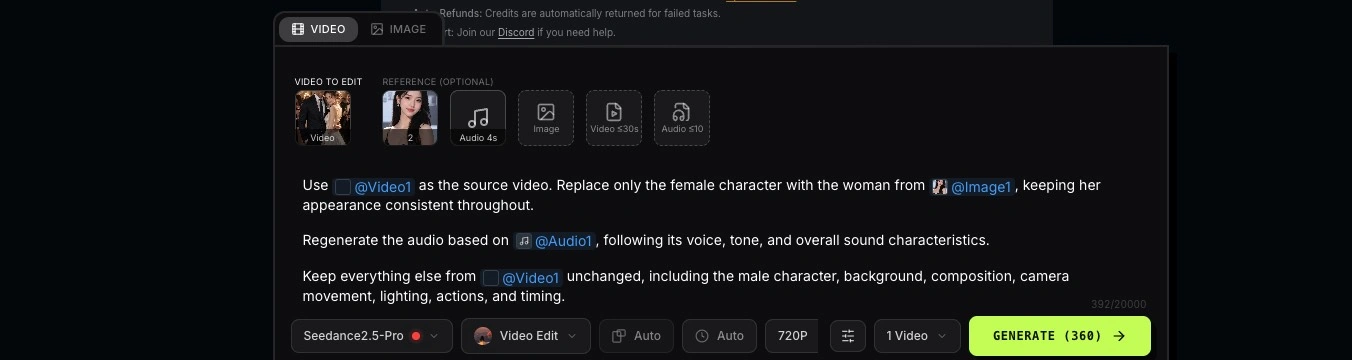
Use @Video1 as the source video. Replace the red bag with the black bag from @Image1 while keeping everything else unchanged.
Consejo: en lugar de simplemente mencionar @Image1 o @Video1, explica siempre de qué es responsable esa referencia.
Explora prompts de Seedance 2.5 listos para usar en distintos estilos de vídeo y escenarios creativos. Copia un prompt, personaliza las referencias y los detalles, y úsalo como punto de partida para tu propio vídeo.
Genera un vídeo usando solo un prompt de texto. Describe el sujeto, la acción, el escenario, la línea de tiempo, el movimiento de cámara, la iluminación, el estilo y el audio cuando sea necesario.
Elemento del prompt: Sujeto · Escenario · Acciones · Cámara · Iluminación · Restricciones
Prompt de ejemplo
A young East Asian woman in a grey sleeveless top with thin silver hoop earrings, soft overcast light, blurred coastal background, and subtle handheld camera drift. Her hair moves gently in the wind. 1. She holds back a cry, lips pressed tight, chin trembling, tears filling her eyes. 2. She breaks into a sob. Tears roll down her cheeks as she closes her eyes and lowers her head. 3. Her shirt collar is pulled upward from below frame, covering her chin, mouth, and nose with realistic fabric deformation. No hands or arms appear. 4. The fabric falls back naturally. She looks downward, exhausted, breathing heavily with tears still on her face.
Incluye Imagen a vídeo y Primer y último fotograma. Usa imágenes de fotogramas clave para definir el punto de partida, o tanto el principio como el final del vídeo, y luego describe el movimiento y la transición entre ellos.
Elemento del prompt: Referencias · Sujeto · Escenario · Línea de tiempo · Cámara · Estilo · Consistencia
Materiales de referencia
Prompt de ejemplo
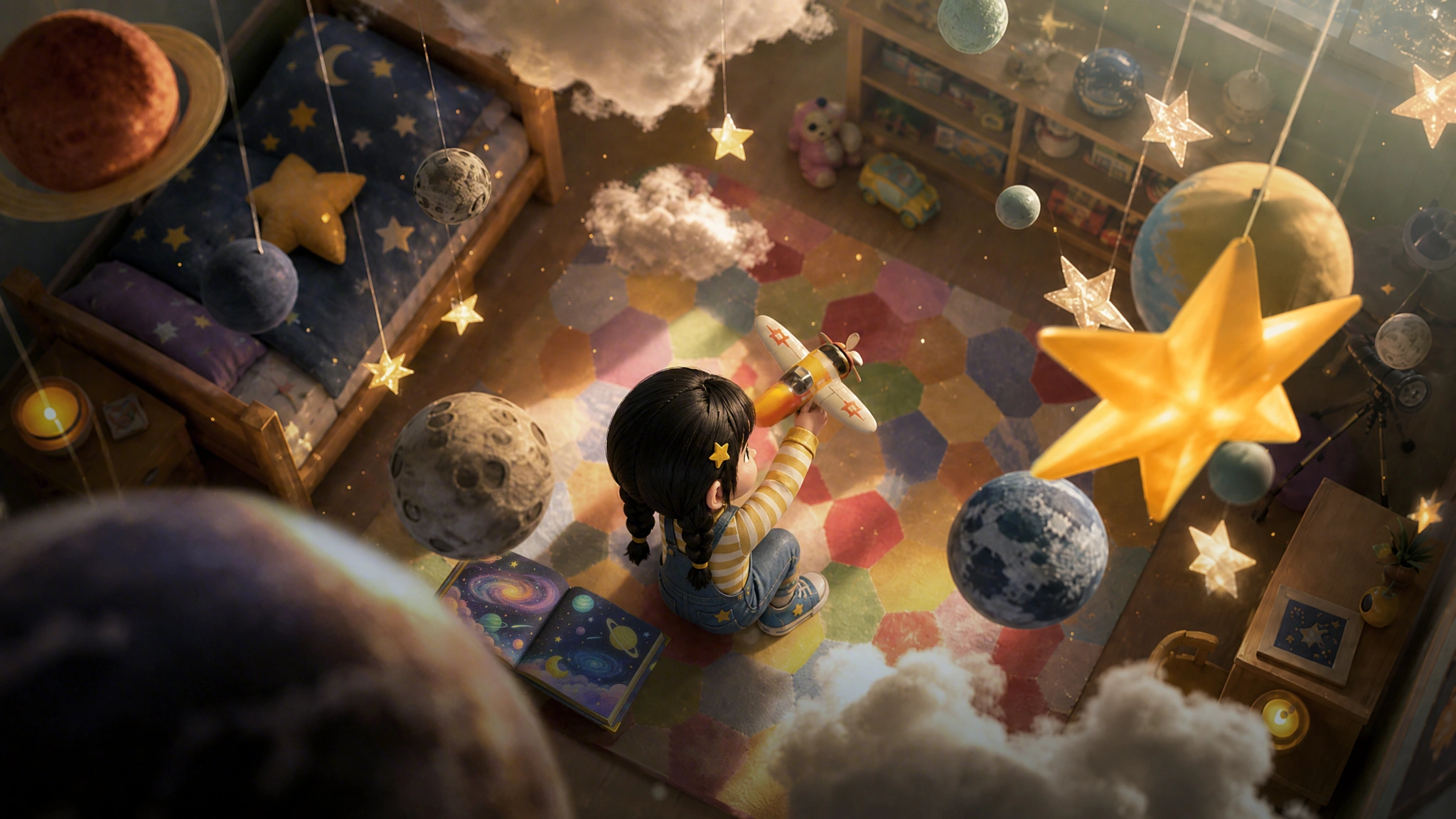
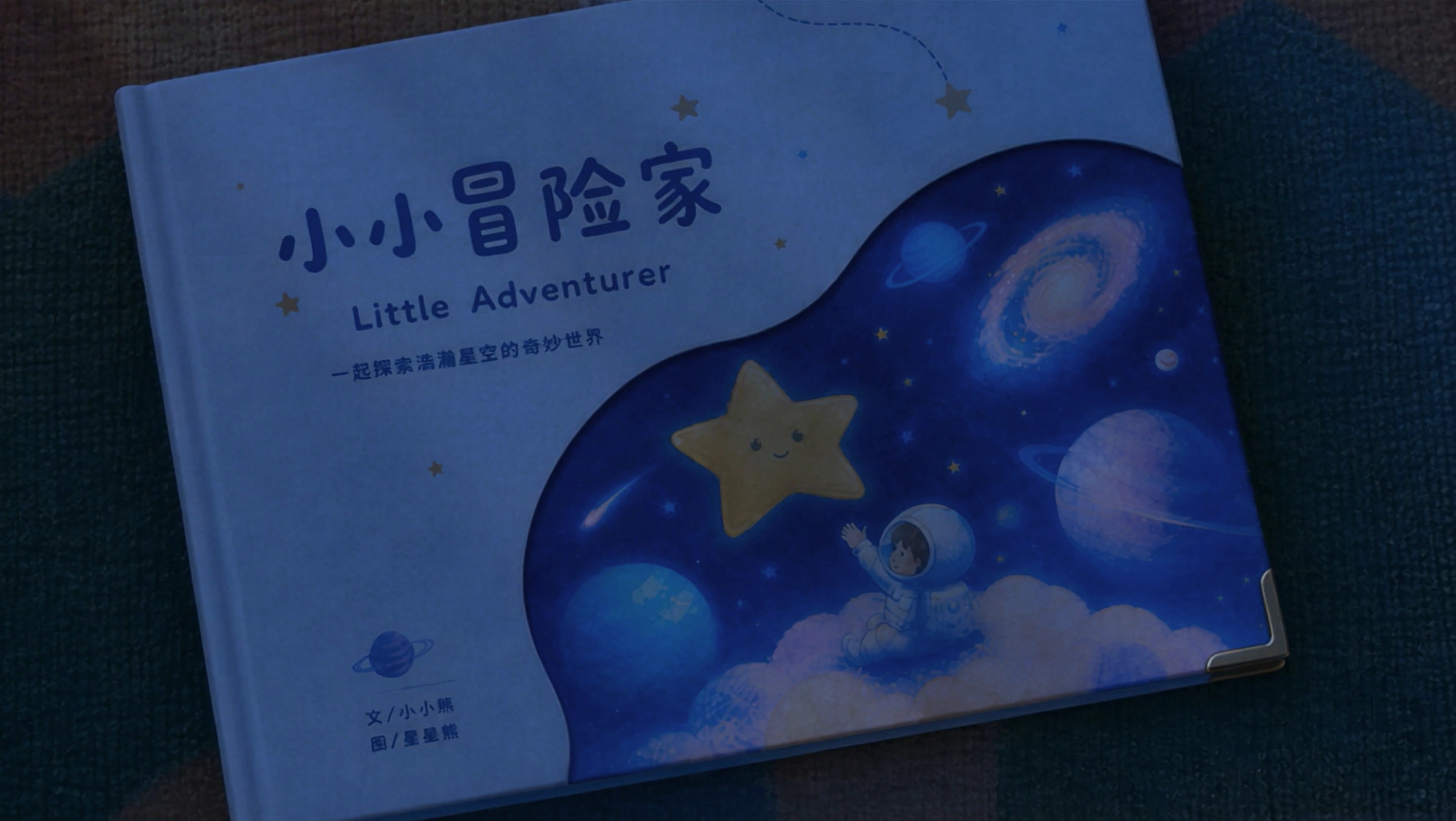
Use @Image1 as the opening keyframe and @Image2 as the final keyframe. Maintain the little girl's character design and the warm, dreamy 3D animated style throughout. Create a 30-second fantasy animated short film with smooth cinematic transitions, continuous character motion, and a warm, fairytale-like atmosphere. 0–3s — Bedroom Start from the overhead bedroom composition in @Image1. Slowly push toward the little girl sitting on the carpet with a toy airplane. She stands, turns left, and throws the airplane forward. As it flies toward the camera, the sound transforms from a toy airplane into a real engine, with gentle cheerful music beginning underneath. 3–8s — Fantasy Sky The airplane carries the girl into a magical sunset sky. The camera follows from the side and slowly orbits around her. She flies through glowing clouds alongside strange birds, a white dragon, a winged horse, and a flying whale, with floating islands in the distance. 8–19s — Underwater to Space The airplane dives toward the ocean and the girl falls underwater in a burst of bubbles. Wearing a bubble-shaped oxygen helmet, she swims deeper until a manta ray carries her through a colorful underwater world. Ahead, a huge space-time rift appears like shattered mirrors surrounding a glowing galaxy. She is pulled through it into a fantasy universe. 19–23s — Fantasy Universe Her outfit transforms into a spacesuit. She jumps between small planets, reaches forward, and catches a glowing star. 23–28s — Return to Bedroom The fantasy world flips and dissolves into the overhead bedroom from @Image1. The girl is now asleep on the carpet, still holding the star-catching pose. A toy airplane and space-themed picture book lie beside her. Her father enters and gently covers her with a blanket as the lighting shifts from warm dusk to cool moonlight. 28–30s — Final Frame The camera slowly pushes toward the picture book. Her father gently closes it with his right hand. Transition naturally into the exact final composition of @Image2, then hold on the final frame. Style & Consistency: High-quality 3D animation, dreamy fairytale atmosphere, cinematic color, soft volumetric lighting, smooth camera movement, natural long-take transitions, consistent character proportions and appearance, expressive but natural emotions, and continuous motion throughout. Avoid abrupt cuts, character drift, flickering, or inconsistent visual style.
Multirreferencia a vídeo, también llamada Omni Reference, combina varias referencias de imagen, vídeo y audio para controlar personajes, escenas, movimiento, estilo y sonido.
Elemento del prompt: Referencias + Sujetos + Escenario + Línea de tiempo + Cámara + Estilo + Audio + Restricciones
Materiales de referencia
Prompt de ejemplo
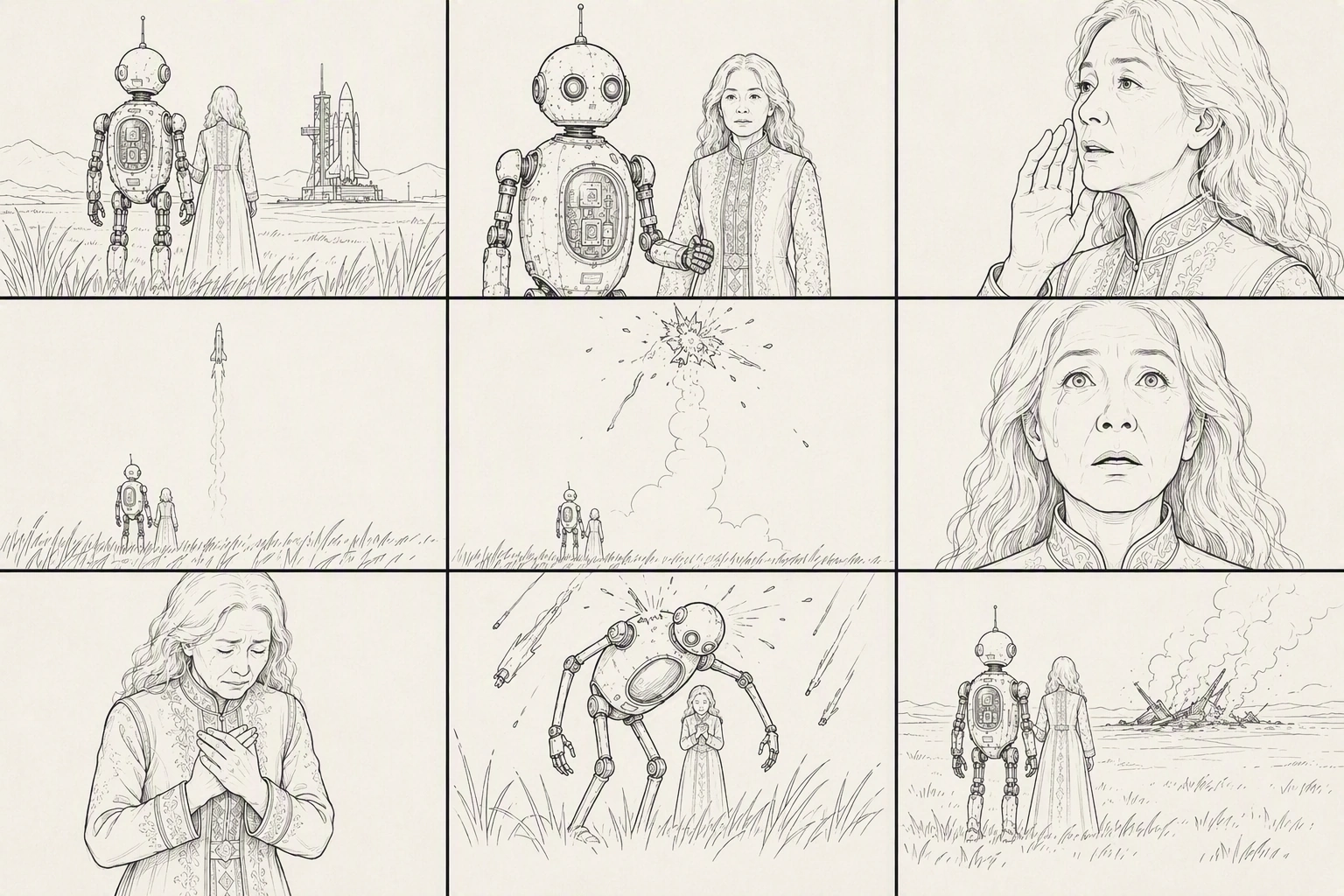
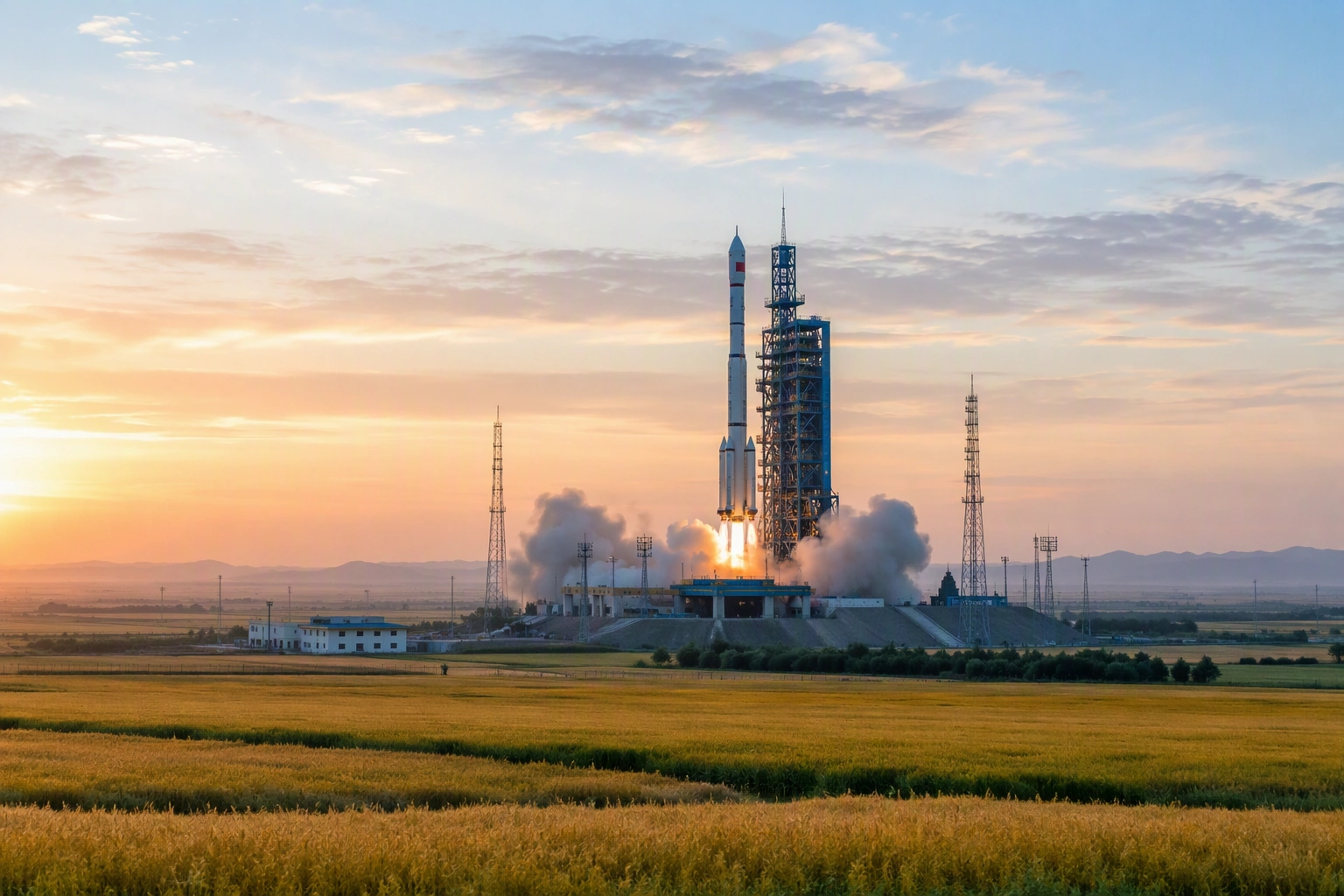
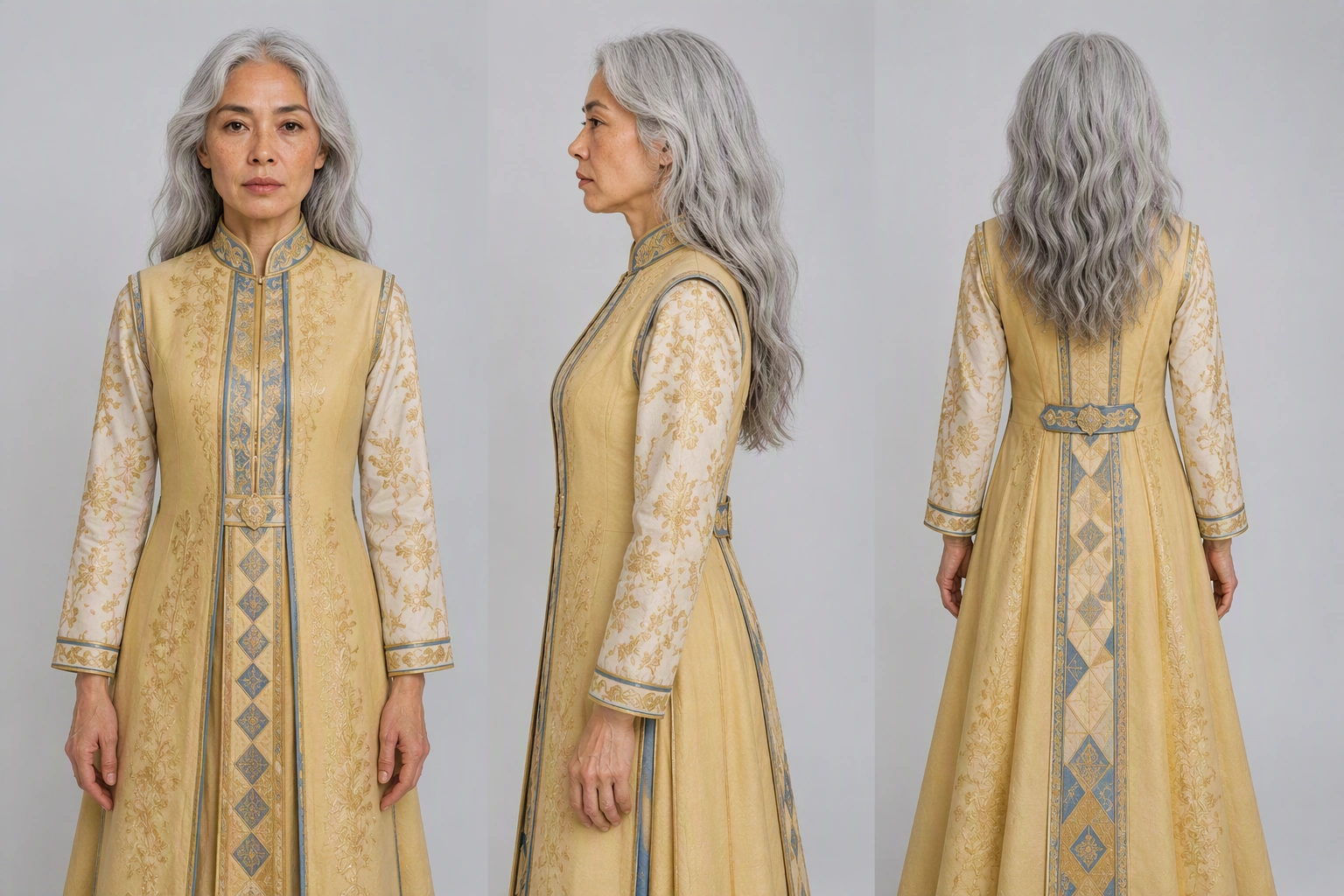
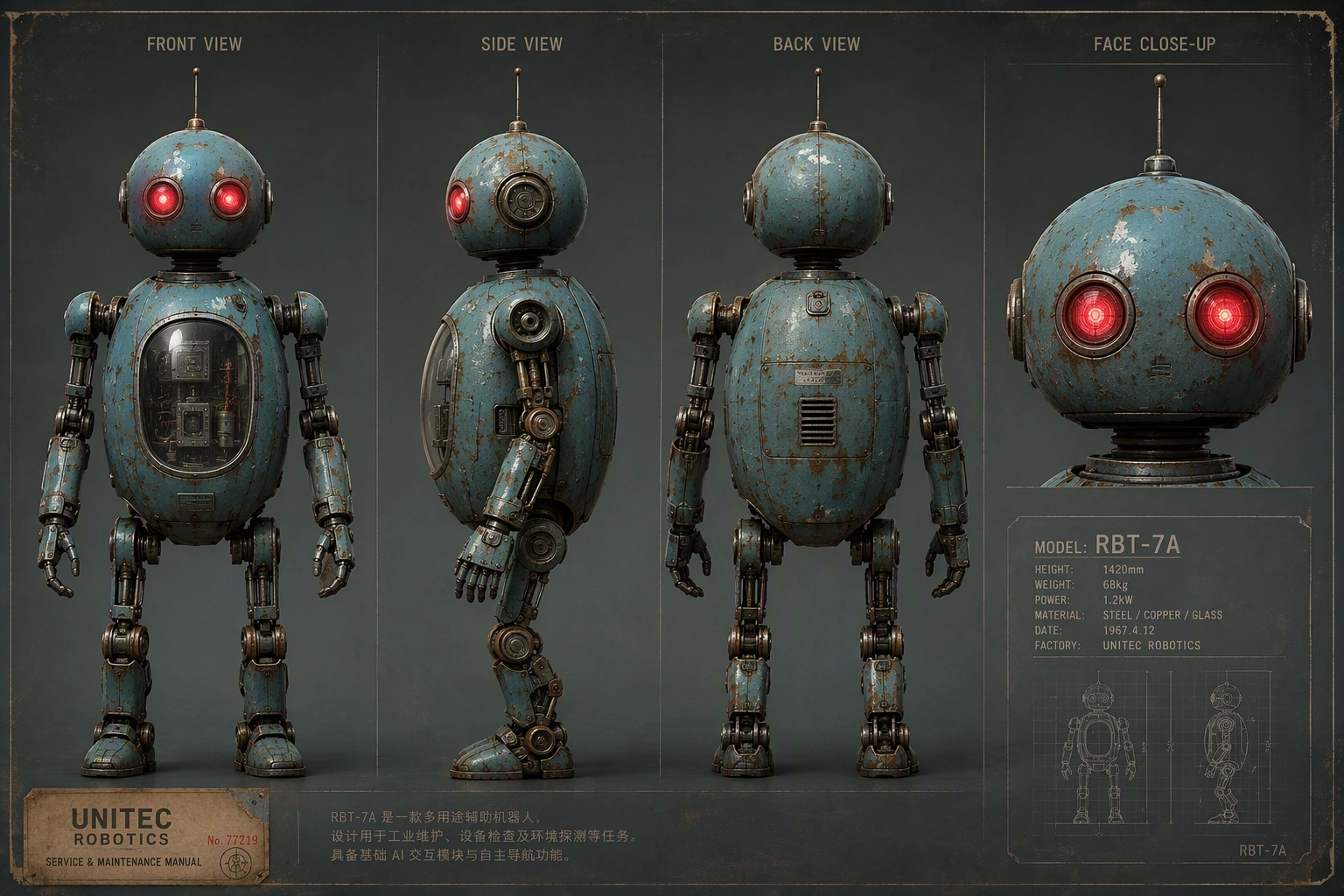
References @Image1 = 9-panel storyboard for shot order, framing, and camera rhythm. @Image2 = dusk grassland rocket-launch site, environment, composition, and lighting. @Image3 = guardian robot appearance. @Image4 = elderly grandmother appearance. Subjects Guardian robot: follow @Image3. Tall weathered retro-futuristic robot with blue-green metal, rust, domed head, red camera eyes, antennas, and slender limbs; about twice human height. Grandmother: follow @Image4. Frail elderly woman with silver hair in a low bun, deep wrinkles, and a bright gold floor-length embroidered dress. She reaches roughly the robot's chest. Environment & Style Follow @Image2: vast grassland at dusk, warm golden sunset fading into cool blue twilight, distant launch tower and white rocket, steam rising, tall grass moving in the wind. Photorealistic live-action cinematic look, color 35mm film grain, rich grading, IMAX feel, shallow depth of field, subtle handheld movement, drifting grass, sparks and ash. Emotional disaster-film atmosphere: quiet, tragic, protective. Avoid black-and-white, illustration, animation, storyboard/sketch style, miniature/toy look, plastic CG, or glossy CGI. 9-Shot Timeline — ~30s 0–3s — Extreme Wide Ultra-low ground-level shot across the grassland. Foreground grass sways out of focus as warm lens flare crosses the frame. 3–6s — Medium The robot supports the elderly woman. 6–10s — Close-Up The grandmother looks toward the rocket, reluctant and sorrowful. Dialogue: "Fly safe, my child. Come back to me." 10–14s — Extreme Wide The rocket launches, leaving a thick white smoke trail. Dialogue: "There he goes... there he goes." 14–18s — Extreme Wide The rocket suddenly explodes and breaks apart in the sky. Dialogue: "No... no, no—" 18–22s — Extreme Close-Up Her pupils contract and tears fall. Dialogue: "...he was almost there." 22–25s — Close-Up She breaks down crying. Dialogue: "Bring him back! Please—bring him back!" 25–28s — Low Angle The robot wraps around her protectively. Robot: "Don't look up. I've got you." 28–30s — Extreme Wide Rear Shot They embrace in silhouette beneath the darkening sky. Robot: "I'm still here. I'll stay... as long as you need."
Edita un vídeo existente describiendo claramente qué debe cambiar y qué debe permanecer igual. Usa el vídeo de origen como referencia y especifica el objeto, la acción, la apariencia o la escena que quieres modificar.
Elemento del prompt: Sujeto · Roles de referencia · Acciones · Cámara · Iluminación · Consistencia
Materiales de referencia
Prompt de ejemplo
Preserve the composition, camera position, lighting, and performance rhythm of @Video 1. Only modify the female lead's appearance and expression: let her naturally age from her twenties to around sixty. The restraint in her eyes gradually softens, tears slide past the corners of her eyes, and the corners of her mouth slowly lift until she finally smiles through her tears. The entire video should be a continuous one-shot, with no jump cuts and no flickering. Her facial features should gradually age without drifting or changing identity.
Extiende un vídeo existente hacia adelante o hacia atrás manteniendo el personaje, la escena, el movimiento, el estilo de cámara y la continuidad visual originales. Describe qué debe ocurrir antes o después del vídeo de origen.
Elemento del prompt: Sujeto · Referencia · Acciones · Cámara · Estilo · Consistencia
Materiales de referencia
Prompt de ejemplo
Extend @Video 1 by 5 seconds. A bee flies in and lands on the flower. Then, in a macro close-up, its legs and abdomen are covered with golden pollen particles. The bee flaps its wings and takes off, and the camera follows it as it flies toward another flower of the same species. In slow motion, pollen shakes loose from the bee's fine hairs and falls precisely into the flower's stamen, magnifying the moment of pollination.
Seedance 2.5 admite imágenes y vídeos de personas reales como referencias en SeeGen AI, pero estos archivos deben pasar una revisión oficial antes de usarse.
La aprobación no garantiza que todas las generaciones tengan éxito. Las tareas que involucren a figuras públicas, personajes con derechos de autor o contenido restringido o sensible pueden seguir bloqueándose. Las tareas fallidas se reembolsan automáticamente.
Guía de carga de SeeGen AIA diferencia de Seedance 2.0, Seedance 2.5 puede detectar la intención de edición o extensión a partir de tu prompt.
En el modo Multirreferencia, palabras como replace, remove, change, edit o extend pueden hacer que la tarea se clasifique como Edición de vídeo o Extensión de vídeo, lo que puede provocar que la generación falle.
Usa Multirreferencia para referencias, Edición de vídeo para modificar un vídeo y Extensión de vídeo para continuarlo.
Guía de usuario de Seedance 2.5Empieza con un prompt claro, añade las imágenes, vídeos o referencias de audio que importan, y convierte tu idea en un vídeo de IA más controlado. Usa Seedance 2.5 para escenas más largas, generación con múltiples referencias, edición y extensión de vídeo, y personajes, movimiento, estilo y sonido más consistentes.
Prueba Seedance 2.5 gratis