Limited Time Offer: Save up to 32% OFF now!
Now Available on SeeGen AI

Free HappyHorse 1.0 AI Video Generator

Bring ideas to life with HappyHorse 1.0 on SeeGen AI. Start from a prompt or image, then create cinematic scenes with native audio, natural lip-sync, and expressive characters.

Key Features

A Top-Ranked AI Video Model Built for Creativity

HappyHorse 1.0 is Alibaba's AI video model for text-to-video, image-to-video, and audio-video creation. It ranked #1 in Artificial Analysis Text-to-Video and Image-to-Video no-audio leaderboards, with 1080p output, 3-15 second clips, and native lip-sync across 7 languages.

01

Text or Image to Video

Start from a text prompt or a still image, then turn your idea into a cinematic video with motion, characters, camera movement, and scene detail. HappyHorse 1.0 currently ranks #1 on Artificial Analysis for both Text-to-Video and Image-to-Video no-audio leaderboards, making it a strong choice for high-quality short video creation.

02

Native Audio in One Pass

Generate video and audio together in one workflow, including dialogue, ambient sound, and scene-matching effects. This helps the final clip feel more complete from the first result, without needing a separate audio pass or extra editing step.

03

7-Language Lip-Sync

Create talking scenes with native lip-sync across 7 languages, including English, Mandarin, Cantonese, Japanese, Korean, German, and French. This makes HappyHorse 1.0 useful for character videos, ads, tutorials, and localized social content.

04

1080p Short-Form Output

Create polished short videos in up to 1080p, with 3-15 second clips and common aspect ratios for social media, ads, and story content. It is built for fast short-form production, from vertical reels to cinematic product shots.

05

Edit, Extend, and Refine

Use editing workflows to improve existing clips, continue scenes, change visual style, or refine details without starting from scratch. This gives creators more control after the first generation, especially when building ads, story clips, or character-driven scenes.

How To Use

How to Use HappyHorse 1.0 on SeeGen AI

01

Upload Reference Files

Upload up to 9 images as visual references, such as characters, products, scenes, or storyboard frames. You can also upload a video if you want to edit, extend, or refine an existing clip with HappyHorse 1.0.

02

Enter Your Prompt

Describe the video you want to create, including the subject, action, camera movement, mood, style, and audio direction. If you are editing a video, explain what should change, continue, or stay consistent in the original clip.

03

Download Your Result

Generate your video, preview the result, and download the final clip. You can adjust the prompt, change the reference files, or create another version until the video matches your idea.

Model Comparison

HappyHorse 1.0 vs Wan 2.7

CapabilityHappyHorse 1.0Wan 2.7
Best ForStory-driven short videos, talking characters, ads, social clips, and cinematic AI videos with soundControlled video creation, reference-based generation, video editing, video extension, and first/last-frame workflows
Text-to-VideoStrong text-to-video generation; ranked #1 on Artificial Analysis Text-to-Video no-audio leaderboardSupports text-to-video, with strong control for structured scenes and cinematic outputs
Image-to-VideoStrong image-to-video generation; ranked #1 on Artificial Analysis Image-to-Video no-audio leaderboardSupports image-to-video with first-and-last-frame control and smooth scene transitions
Native AudioGenerates video and audio together in one workflow, including dialogue, sound, and scene-matching audioSupports audio-driven generation; uploaded audio can guide lip-sync, beat-matched motion, or narration-driven scenes
Lip-SyncBuilt for native multilingual lip-sync, useful for talking characters, ads, and localized contentSupports lip-sync with uploaded audio, depending on platform and workflow
Reference ControlSupports visual references for guiding characters, products, style, and scenesStrong reference workflow; some platforms support 1-5 reference images or videos for character and style control
Video EditingSupports editing workflows to refine, extend, or improve existing clipsStrong focus on video editing, video reference, video extension, and first/last-frame control
Output QualityUp to 1080p short-form video, suitable for ads, reels, product demos, and story clips720p / 1080p options depending on platform and workflow
Clip LengthCommonly supports 3-15 second short videosOften supports 2-15 seconds for text/image-to-video and shorter ranges for video-to-video, depending on platform
Best Choice If You Need...A video model for sound, dialogue, lip-sync, expressive characters, and fast short-form storytellingA video model for more controlled editing, reference-guided motion, first/last-frame transitions, and structured video workflows
Why Choose SeeGen AI

Why Choose SeeGen AI for HappyHorse 1.0?

1

Real human reference support

Use real human images as references for character videos, talking scenes, UGC-style ads, avatar content, and story-driven clips.

2

Multi-Reference Workflow

Combine visual references, prompts, and editing instructions to guide characters, products, scenes, and motion direction.

3

200 free credits to start

New users can start testing HappyHorse 1.0, Seedance 2.0, and other SeeGen AI tools with free credits.

4

API Access for developers

Build HappyHorse 1.0 video generation into creative products, pipelines, and team workflows.

FAQ

FAQs about HappyHorse 1.0 AI Video Generator

What Is HappyHorse 1.0?+
HappyHorse 1.0 is an AI video generation model from Alibaba. It supports text-to-video, image-to-video, reference-to-video, and video editing workflows. It is best known for strong visual quality, native audio-video generation, multilingual lip-sync, and high rankings in Artificial Analysis Video Arena.
Can HappyHorse 1.0 Use Real Human References?+
Yes. On SeeGen AI, you can use real human images as references for HappyHorse 1.0. This is useful for character videos, talking scenes, UGC-style ads, avatar content, and story-driven clips.
Can I Use HappyHorse 1.0 Free on SeeGen AI?+
Yes. New users can start with 200 free credits on SeeGen AI after signing up and joining Discord. These credits can be used to test HappyHorse 1.0, Seedance 2.0, and other AI generation features.
How Long Can HappyHorse 1.0 Videos Be?+
HappyHorse 1.0 is mainly built for short-form video. On many platforms, it supports 3-15 second clips, which makes it suitable for ads, reels, product demos, story clips, and social media content.
Does HappyHorse 1.0 Support Audio and Lip-Sync?+
Yes. HappyHorse 1.0 is designed for native audio-video generation. It can create dialogue, ambient sound, and scene-matching audio in one workflow. It also supports multilingual lip-sync for talking character scenes.
Does HappyHorse 1.0 Support Video Editing?+
Yes. HappyHorse 1.0 supports video editing workflows. You can upload an existing clip and use text instructions to refine details, change style, replace elements, or continue the scene without starting from scratch.
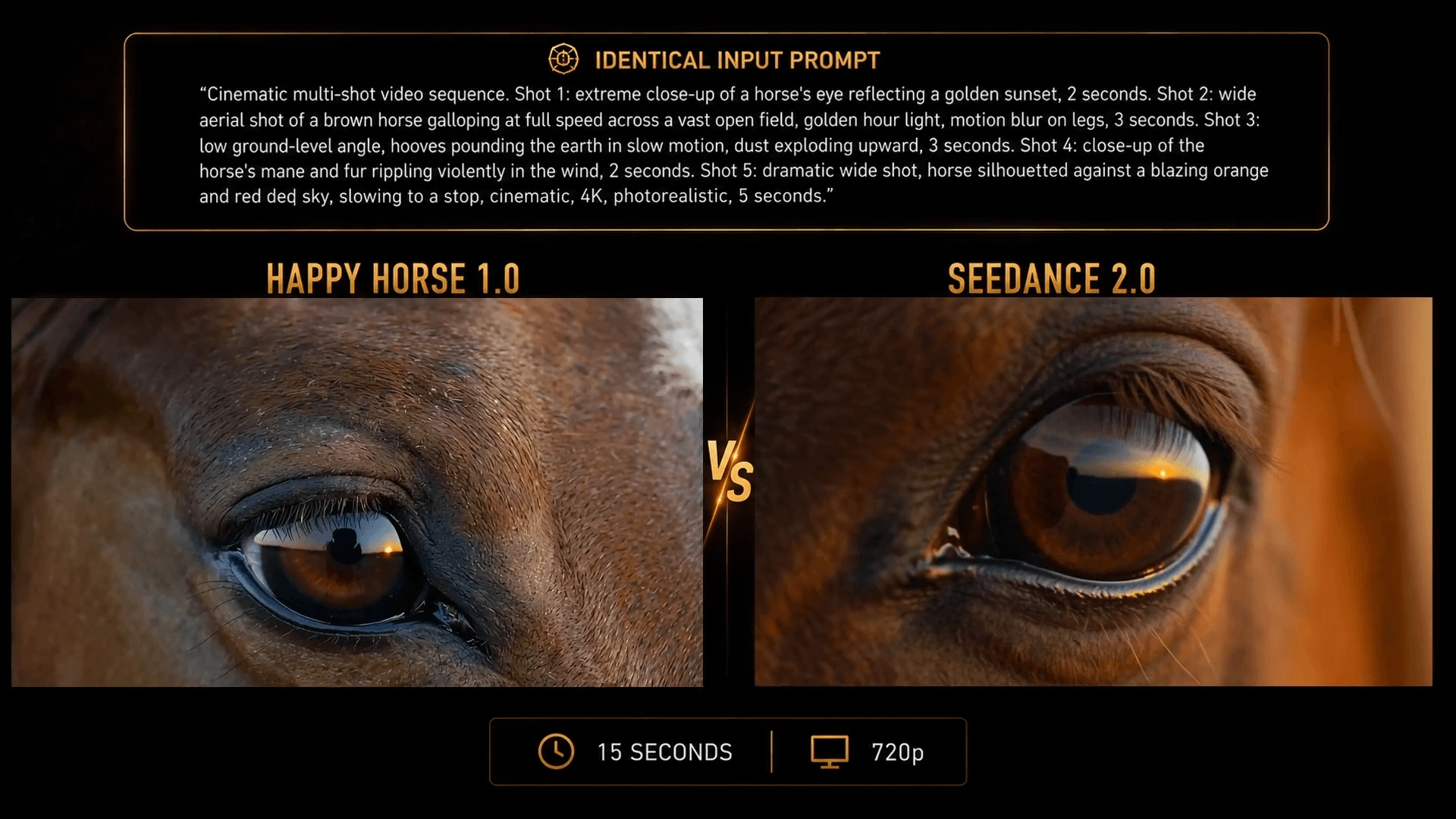
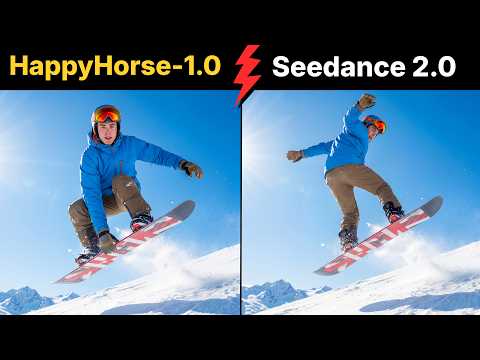
HappyHorse 1.0 vs Seedance 2.0: Which One Is Better?+
It depends on your workflow. HappyHorse 1.0 is a strong choice for short videos with native audio, lip-sync, expressive characters, and strong text-to-video or image-to-video quality. Seedance 2.0 is often better for complex multi-reference control, especially when you need to combine text, images, video clips, and audio references in one generation.

Try HappyHorse 1.0 for Free on SeeGen AI

Create text-to-video and image-to-video clips with native audio, lip-sync, and cinematic motion in just a few clicks.