01
Prepare the materials
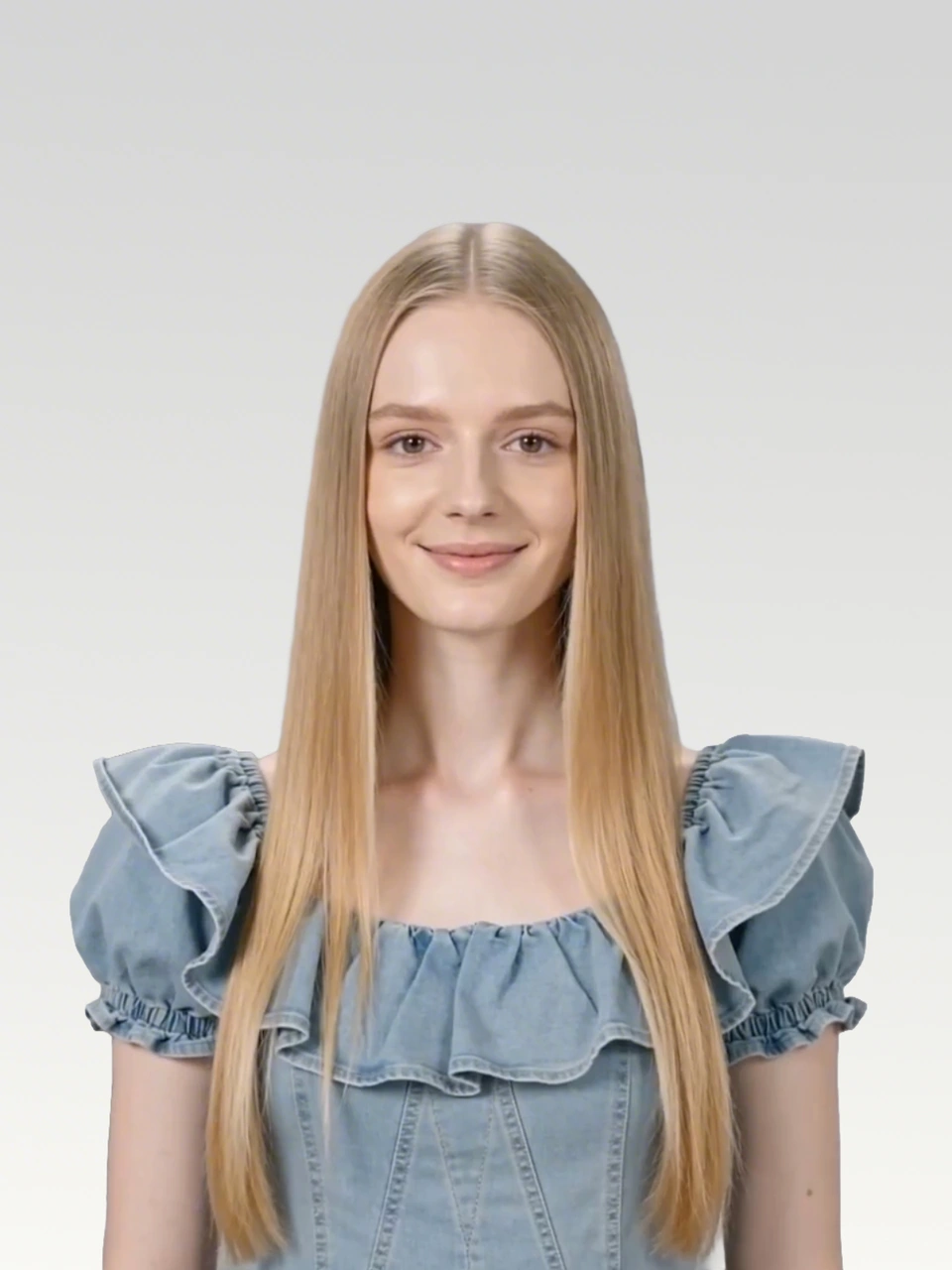
Start with the original audio, a clear character image reference, and lyrics or dialogue lines that define the intended lip-sync.
Try this black screen video workflow to make Seedance 2.0 follow reference audio more closely for lip-syncing, MV production, and character videos.
Problem
Audio references may drift in rhythm and intervals.
Fix
Use audio segments as black screen video inputs.
Seedance 2.0 natively supports audio reference, but directly using audio as a reference may cause significant differences between the generated audio and the original audio. This is especially noticeable with music.

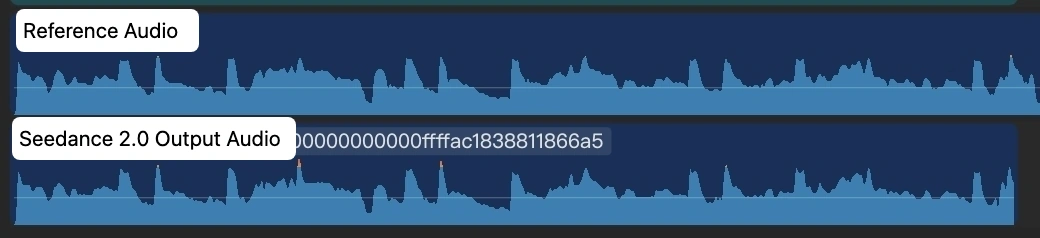
The key solution is simple: convert each audio segment into a black screen video, then use that black screen video as the input for Seedance 2.0.
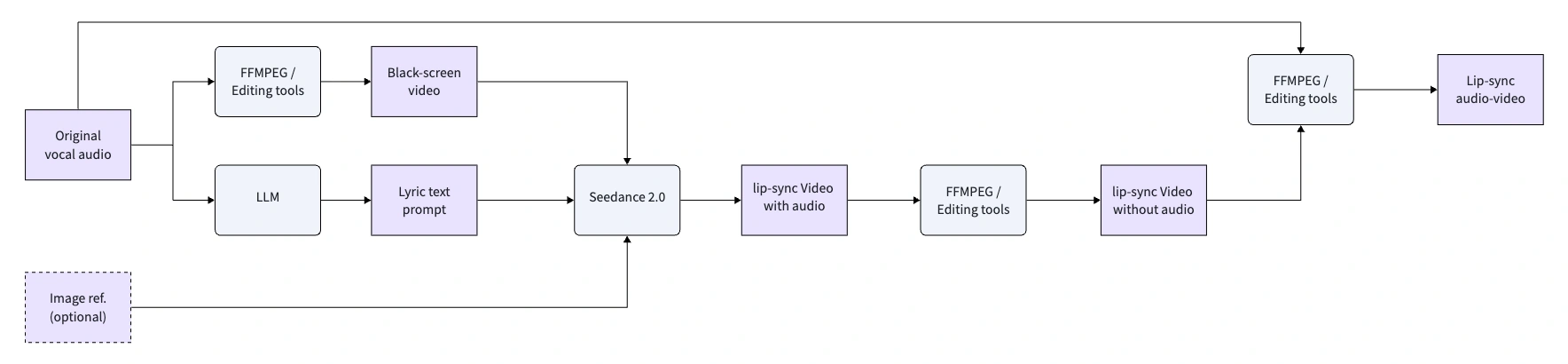
Start with the original audio, a clear character image reference, and lyrics or dialogue lines that define the intended lip-sync.
Because Seedance 2.0 supports videos no longer than 15 seconds, split longer music or dialogue into multiple short segments.
Create a black screen MP4 with the original audio track. This turns the audio into a video input that Seedance can follow more closely.
Use the black screen video as the input reference, then keep the output duration strictly consistent with the input video duration.
Original audio
Waking up to golden light. Coffee warm and feeling right.
Birds are singing just for me. Living life so wild and free.
This is my beautiful life. Every moment shining bright.
Dancing through the ups and downs. Wearing joy like a crown.
Beautiful life, oh yeah. Beautiful life
You can create this with FFmpeg, or use a video editor like CapCut by placing the audio segment on a black canvas and exporting it as MP4.
ffmpeg -f lavfi -i color=c=black:s=1280x720:r=24 -i clip1_audio.mp3 -shortest -c:v libx264 -c:a aac clip1.mp4Each segment uses the black screen video as the reference input, then asks Seedance 2.0 to drive the protagonist in the image with strict lip-sync.
Black screen reference video and Seedance 2.0 output
Prompt
Use the audio from @Video 1 to drive the protagonist in @Image 1 to generate an MV with multiple shots, creating an overall light, lively, and sunny atmosphere. Lip-sync is strictly synchronized: "woo~ woo~"
Black screen video
Output video
Black screen reference video and Seedance 2.0 output
Prompt
Use the audio from @Video 1 to drive the protagonist in @Image 1 to generate an MV with multiple shots, change the outfit and background, and create an overall light, lively, and sunny atmosphere. Lip-sync strictly: "Waking up to golden light. Coffee warm and feeling right."
Black screen video
Output video
Black screen reference video and Seedance 2.0 output
Prompt
Use the audio from @Video 1 to drive the protagonist in @Image 1 to generate an MV with multiple shots, change the outfit and background, and create an overall light, lively, and sunny atmosphere. Lip-sync strictly: "Birds are singing just for me. Living life so wild and free."
Black screen video
Output video
Black screen reference video and Seedance 2.0 output
Prompt
Use the audio from @Video 1 to drive the protagonist in @Image 1 to generate an MV with multiple shots, change the outfit and background, and create an overall light, lively, and sunny atmosphere. Lip-sync strictly: "This is my beautiful life"
Black screen video
Output video
Black screen reference video and Seedance 2.0 output
Prompt
Use the audio from @Video 1 to drive the protagonist in @Image 1 to generate an MV with multiple shots, change the outfit and background, and create an overall light, lively, and sunny atmosphere. Lip-sync strictly: "Every moment shining bright, Dancing through the ups and downs. Wearing joy like a crown."
Black screen video
Output video
Black screen reference video and Seedance 2.0 output
Prompt
Use the audio from @Video 1 to drive the protagonist in @Image 1 to generate an MV with multiple shots, change the outfit and background, and create an overall light, lively, and sunny atmosphere. Lip-sync strictly: "woo~ Beautiful life, oh yeah Beautiful life"
Black screen video
Output video
The output audio is not 100% identical to the input audio, but the consistency is strong enough to reduce post-production adjustment costs during MV production.
Turn audio segments into black screen video references, then generate more consistent lip-sync videos on SeeGen AI.
Try Seedance 2 Free